
One Reused Password Is All It Takes
For most small teams, pick Bitwarden for value or 1Password for the smoothest rollout. Regulated businesses facing audits should shortlist Keeper instead. Teams that want password health coaching built in should look at Dashlane.
Weak and reused passwords remain one of the most common causes of data breaches. For a business, a single compromised credential can expose customer data, finances, and internal systems at once.
A business password manager reduces that risk by making the secure path the easy one. Staff stop reusing a favourite password because generating and storing a unique one takes less effort.
This guide compares the tools teams actually shortlist, using criteria that matter after rollout rather than during a sales call. Security products evolve quickly, so treat it as a framework and verify details on each vendor’s site.
Vendor-Stated Architecture, And What It Does Not Promise
Reputable business password managers describe their design as end-to-end encrypted with a zero-knowledge architecture. In vendor terms, that means the provider states it cannot read your stored data.
Independent audits and certifications such as SOC 2 add meaningful assurance to those claims. They are evidence that someone outside the company examined the design, which is not the same as a guarantee.
No product in this category is unbreakable, and none should be described that way. Strong master credentials and multi-factor authentication remain essential regardless of which vendor you choose.
Treat architecture as a filter rather than a ranking. Any tool without independent audits and a published security model belongs off the shortlist, and the survivors are then judged on everything else.
What Happens When Someone Leaves The Team

This is the question that separates a business tool from a personal one. When an employee leaves, every shared credential they could see is potentially compromised.
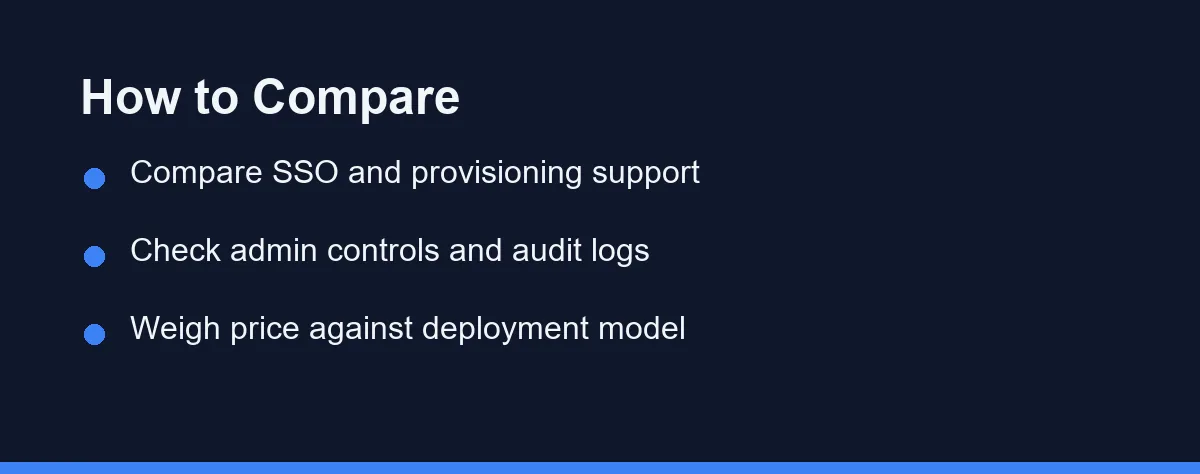
Centralised provisioning is the answer. Directory integration and single sign-on let you disable one account and cut access to every shared vault at the same moment.
Shared vaults with role-based permissions make that cut precise. Grouping credentials by team means an offboarding removes exactly the right access without an audit of every entry.
Plan for credential rotation too. Anything genuinely sensitive should be rotated after a departure, and a tool that shows you which items a person could access turns that from a guess into a list.
Account recovery deserves the same thought in advance. Decide who can recover a locked account, and make sure that authority does not sit with one person who might be on holiday.
Adoption Is The Security Feature
Usability drives adoption, and adoption drives the actual security outcome. A tool that frustrates staff gets bypassed, and a bypassed manager protects nothing.
Look at the browser extension and autofill reliability first. Those two components carry almost all daily interaction, and problems there are what push people back to a spreadsheet.
Mobile apps matter more than buyers expect. Staff who cannot log in from a phone will email a password to themselves eventually.
Good onboarding materials reduce support tickets and training time. A vendor with clear guides saves you writing your own, and our best help desk software guide covers where those tickets land otherwise.
Four Tools Teams Actually Shortlist
The four below cover the most common business needs, from small teams to regulated organizations. Each has clear strengths and trade-offs.
1Password
Known for a refined interface and smooth team rollout. Its admin console offers reporting, breach alerts through Watchtower, and policy controls, alongside SSO and developer-focused secrets management.
Bitwarden
Open source, transparent, and budget friendly. It offers a capable free tier and affordable organization plans, with the option to self-host for full control and broad platform support.
Keeper
Focused on security depth and compliance readiness. It provides granular admin policies, detailed audit reporting, and certifications that suit regulated sectors, though the breadth can feel heavy for a very small team.
Dashlane
Combines a friendly interface with useful business features. The admin dashboard surfaces password health and risk scores clearly, and some plans add dark web monitoring and a built-in VPN.
The Four On Buying Criteria
The table compares the tools on practical buying criteria. Use it to shortlist quickly, then validate the details on each vendor site, since availability varies by plan tier.
| Tool | Open Source | SSO Support | Self-Hosting | Best For |
|---|---|---|---|---|
| 1Password | No | Yes | No | Polished team UX and rollout |
| Bitwarden | Yes | Yes | Yes | Value and flexible deployment |
| Keeper | No | Yes | Limited | Compliance-heavy industries |
| Dashlane | No | Yes | No | Built-in monitoring and VPN |
All four describe strong encryption and a zero-knowledge approach. The genuine differences sit in deployment, transparency, and administrative depth rather than in the cryptography.
For a closer look at the two most commonly compared options, our 1Password vs Bitwarden for teams comparison goes deeper than any single row here can.
Self-Hosted Or Managed
Some organizations require self-hosting for data residency or internal policy reasons. Bitwarden is the obvious candidate there, and self-hosting moves maintenance and uptime onto your own team.
Managed cloud services remove that burden entirely. For most small and mid-sized businesses, that trade is the right one, because patching a vault server is not a good use of a small technical team.
Be honest about who would run it. Self-hosting chosen for philosophical reasons and maintained by nobody is worse than a managed service.
Check data location if it matters to your contracts. Vendors publish hosting regions, and that detail belongs in your procurement notes rather than in a support ticket later.
Audit Logs And Compliance Paperwork
Audit logs answer questions after the fact. Who accessed which shared item, when access changed, and whether policy was enforced are the three things auditors ask about.
Regulated sectors should treat granular policy enforcement as a requirement rather than a preference. Keeper and 1Password both aim at that buyer directly.
Smaller teams outside regulated industries can weigh this lightly. Detailed compliance reporting nobody reads is a cost without a benefit.
Check what your own customers ask for. Enterprise clients increasingly send security questionnaires, and having a documented credential policy makes those far quicker to answer.
Per Seat, Per Month, Per Surprise
Business password managers are typically billed per user per month, and costs scale with seat count and feature tier. Higher tiers add SSO, advanced reporting, and dedicated support.
Annual billing usually reduces the effective monthly rate. Watch for minimum seat requirements and onboarding fees, since both change the real cost of a small deployment.
As of September 2026, Bitwarden lists Teams at $4 per user per month and 1Password lists Business at $8.99 per user per month, both billed annually. 1Password’s Teams Starter Pack covers up to 10 members for $24.95 a month, with a 14-day free trial.
At the time of writing, most vendors offer free trials and some provide limited free tiers. Confirm current pricing on the official sites for 1Password and Bitwarden before committing.
Do the same for the rest of your shortlist. Check Keeper and Dashlane directly, and factor training time and admin overhead into the comparison.
Where Rollouts Stall
The most common failure is a partial rollout. Half a team using the manager while the other half emails credentials leaves you with the old risk and a new bill.
The second is skipping the import. Existing passwords scattered across browsers need collecting deliberately, or people keep using the browser instead.
The third is no policy on shared items. Without a rule about what belongs in a shared vault, everything ends up either shared with everyone or hidden with one person.
The fourth is ignoring the leavers process until the first departure. Write it down while nobody is leaving, and it takes ten minutes instead of a stressful afternoon.
Pair the tool with a documented process, and it sticks. Our best project management software guide covers where that documentation usually lives. Customer records are the other place sensitive access accumulates, which our best CRM for small business roundup covers.
Which Manager Fits Your Team Size

The five-person startup watching costs: Bitwarden. Value, transparency, and a free tier make it an easy first purchase, and it scales further than most small teams expect.
The growing company with non-technical staff: 1Password. Rollout polish translates directly into adoption, which is the metric that actually reduces risk.
The regulated business facing audits: Keeper. Granular policy controls and detailed reporting are built for exactly that requirement.
The team that wants guidance built in: Dashlane. Password health scoring and monitoring push people toward fixing weak credentials without a nagging email from you.
The organization with data residency rules: Self-host Bitwarden, provided someone owns the maintenance. Otherwise choose a managed vendor with a published hosting region.
The company with heavy contractor turnover: Prioritise provisioning and shared vault structure over everything else. Fast, clean offboarding is worth more than any feature on the comparison table.
Pick The One People Will Use
The right choice depends on team size, compliance needs, and deployment preferences rather than on a security ranking. All four candidates here are credible, and none of them is invulnerable.
Shortlist two, run trials with real staff, and gather feedback from technical and non-technical users alike. Adoption depends on daily usability, not on feature lists.
Then confirm current pricing and seat minimums on each official site before committing budget. The cheapest option stops being cheap the moment half the team works around it.
FAQ
What is the difference between a personal and a business password manager?
Business password managers add team features like centralized admin controls, user provisioning, shared vaults, and audit logs. Personal tools focus on a single user, while business plans scale across employees and enforce policy. They also typically support SSO and compliance reporting.
Are business password managers safe to use?
Reputable business password managers use end-to-end encryption and a zero-knowledge architecture, meaning the provider cannot read your stored data. Look for independent security audits and certifications like SOC 2. No tool is perfect, so strong master credentials and multi-factor authentication remain essential.
How much does a business password manager cost?
Pricing is usually charged per user per month and varies widely by provider and feature tier. Plans change often, so confirm current pricing on each official site before you commit. Many vendors offer free trials so teams can evaluate fit first.
What happens to shared logins when an employee leaves?
Disabling the person's account through your directory or the admin console removes their access to every shared vault immediately. Anything genuinely sensitive should still be rotated afterwards, because a credential they could once read is a credential they may have copied. Tools that list which items a user could access make that rotation a checklist rather than a guess.
Do we still need multi-factor authentication with a password manager?
Yes, and vendors say so themselves. A password manager protects the credentials it stores, while multi-factor authentication protects the accounts those credentials unlock. The two defences cover different failures, so treat the manager as one layer rather than a replacement for the others.
Sources
- Bitwarden: Business plans pricing — checked 2026-10-01
- 1Password: Business pricing — checked 2026-10-01
Some links may be affiliate links. We may earn a commission at no extra cost to you.
How this article was made: it was drafted with AI assistance from the official sources listed above, and its figures were checked against those pages on the dates shown. It is not based on personal hands-on testing.
Comments
Post a Comment