A Contractor Leaves and Nobody Knows What Changed
For most small teams, pick 1Password if nobody owns IT and Bitwarden if cost or open source matters more. 1Password trades a higher per-seat price for smoother adoption by non-technical staff. Bitwarden covers the same core job for less and publishes its code. Teams with a developer on staff usually get more value from Bitwarden.
The login for your payment processor is probably sitting in someone’s chat history. Most small teams start that way, sharing credentials in whatever tool was open at the time. It works until a contractor leaves, an account gets locked, or nobody can remember who changed what.
A team password manager exists to end that pattern. Two names dominate the shortlist: 1Password and Bitwarden. They solve the same problem with noticeably different personalities.
This guide compares them for teams rather than individuals, which shifts the emphasis toward admin controls, sharing structure, and recovery. Dashlane, Keeper, NordPass, and LastPass appear where they belong in the picture.
A note on how security claims are treated here. Product architecture is described in general terms and as the vendors present it, because no outside guide can certify any product’s implementation. Nothing below should be read as a promise that a given tool cannot be breached.
Polish at a Price, or Value With Source Code

Choose 1Password if you want a polished experience, guided admin tooling, and a product your least technical colleague will not fight. That smoothness has a price, and for many teams it is worth paying.
Choose Bitwarden if cost matters, if you value open-source code that outside researchers can inspect, or if you want the option to self-host. It covers the same core ground for less per seat.
Both are serious products from established vendors. The decision is less about which is safer and more about which one your team will consistently use.
Five Questions a Team Buyer Should Ask
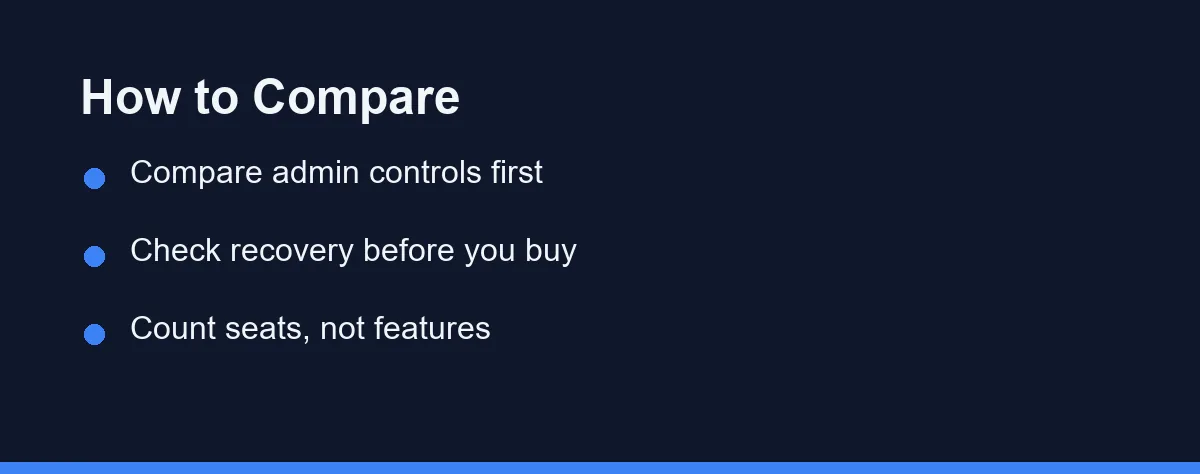
Admin controls. A team manager needs to create groups, assign shared vaults, and remove access instantly. Ask how granular the permissions get and how quickly a departing employee loses everything.
Sharing structure. Look at how the product models a shared vault versus a one-off shared item. Teams that share dozens of credentials outgrow ad-hoc sharing fast, and the vault model then decides whether the system stays organized.
Recovery paths. Zero-knowledge designs mean the vendor cannot simply reset a forgotten master password. Understand exactly what happens when someone locks themselves out, since that scenario is common and disruptive.
Client quality across devices. Adoption dies on the device where the extension misbehaves. Check browser extensions, mobile apps, and desktop clients for every platform your team actually uses.
Cost at your seat count. Per-user pricing looks trivial at five seats and becomes a budget line at fifty. Multiply before you commit, and check whether family or personal accounts for staff are included.
The Case for 1Password
1Password’s reputation rests on polish. The apps feel considered, the browser extension behaves predictably, and onboarding a non-technical colleague rarely turns into a support session. For a team without an IT owner, that reduction in friction is the product.
Its business tiers add the expected administrative layer: groups, shared vaults, activity reporting, and provisioning integrations. The vendor also offers a recovery mechanism for business accounts, so an administrator can help a locked-out employee regain access.
The trade-off is cost and openness. It is a proprietary product at a premium price, and teams that want to inspect the implementation themselves cannot. Whether that matters depends on how much weight you put on external verifiability.
The Case for Bitwarden
Bitwarden’s pitch is transparency and value. The client and server code is published, which allows independent researchers to examine how the product works rather than taking a marketing page at its word. Such openness is unusual in this category.
Pricing follows the same philosophy. A free tier covers individuals, and the business tiers undercut most competitors on a per-seat basis. Teams watching every subscription line find that persuasive.
Self-hosting is the other differentiator. Organizations with data-residency requirements can run the server themselves, which means owning updates, backups, and uptime. Most small teams are better served by the hosted option.
The honest criticism is refinement. The interface has improved considerably, yet it still feels more utilitarian than 1Password to some users. If your team resists tools that feel unpolished, weigh that seriously.
Where Dashlane, Keeper, NordPass, and LastPass Fit
The shortlist rarely stops at two.
Dashlane targets business buyers with admin dashboards and reporting, and bundles extras such as VPN access on some tiers. Teams wanting a broader security bundle sometimes prefer it.
Keeper is common in organizations with formal compliance requirements, offering granular policy enforcement and detailed audit trails. Its administrative depth suits regulated environments more than five-person startups.
NordPass appeals mainly to teams already invested in other Nord products, where consolidated billing and a familiar interface carry weight. Its business feature set is younger than the two leaders.
If your shortlist is still open rather than down to two, our roundup of the best password managers for business teams sets out the admin, provisioning, and audit features to weigh before you narrow it.
LastPass remains widely deployed and familiar to many employees, which lowers training effort. Review its security history and current architecture directly before choosing it.
Security Architecture in Plain Terms
Both 1Password and Bitwarden describe a zero-knowledge design, meaning your vault is encrypted on your device before it reaches the vendor’s servers. Under that model the provider stores ciphertext it cannot read. Each vendor documents its own implementation, and those documents are worth reading rather than skimming.
1Password adds a secret key alongside the master password, which the vendor presents as an extra factor bound to your account. Bitwarden derives keys from the master password and publishes its source so the process can be inspected. Both approaches are established; neither removes the need for care on your side.
No password manager should be described as unbreakable. The realistic risks for a small team are weak master passwords, disabled two-factor authentication, phishing, and a compromised endpoint. Software architecture does not fix any of those.
Treat vendor security pages as claims to verify rather than settled fact. Look for recent independent audits, a published disclosure process, and a clear incident history before committing.
Rollout Is the Hard Part
Choosing the tool takes an afternoon; getting a team to abandon shared spreadsheets takes weeks. Plan for the second part.
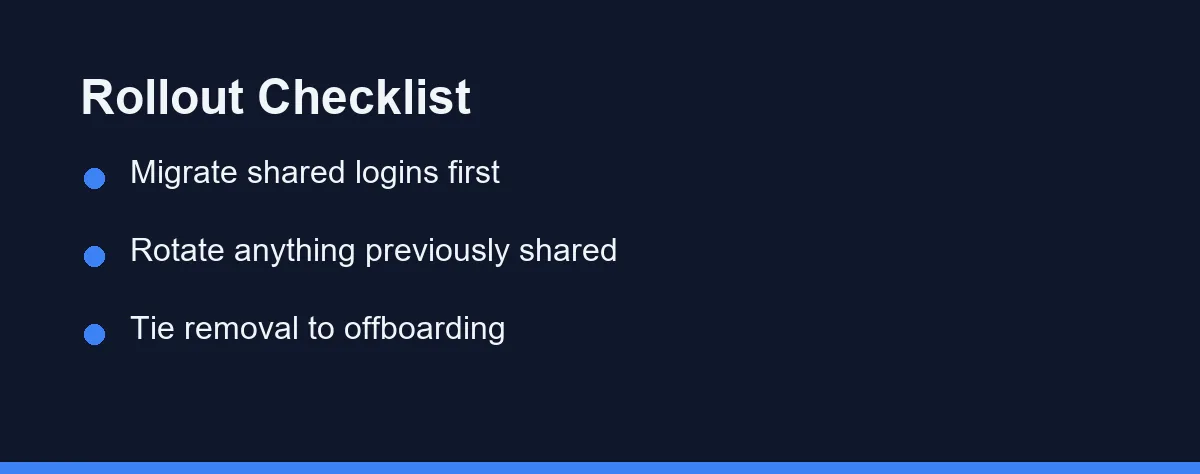
Start by inventorying what is already shared informally, including logins passed around in chat, email, and sticky notes. Import the highest-risk credentials first, such as billing, hosting, and admin accounts. Anything that circulated in plain text should be rotated during migration, not merely copied in.
Then map access to roles instead of individuals. A shared vault per function scales; a web of one-off shares does not. Tie vault removal to your offboarding checklist so departures close access the same day. Our guide to the best HR software for small business covers that exit routine.
Expect a support bump in the first two weeks. Browser extension quirks and mobile autofill are where people give up, so answer those questions quickly and publicly.
Seven Factors Side by Side for a Team Buyer
The table sets the practical differences side by side for a team buyer. Verify current details on each vendor’s site, since feature tiers move.
| Factor | 1Password | Bitwarden |
|---|---|---|
| Source code | Proprietary | Published, open source |
| Typical per-seat cost | Premium | Lower, budget-friendly |
| Self-hosting | Not offered | Supported |
| Interface polish | A recognized strength | Functional, less refined |
| Admin and provisioning | Mature business tooling | Capable, growing |
| Free tier | Trial only | Yes, for individuals |
| Best fit | Teams valuing ease of adoption | Teams valuing cost and transparency |
1Password wins on the human factors that decide whether a rollout sticks. If nobody on the team wants to run a security project, its guardrails help.
Bitwarden wins on economics and verifiability. For technically comfortable teams, it delivers the same core protection at a materially lower subscription cost.
Per Seat Monthly, and the Tier Boundary Above It
Business plans for both products are priced per user per month and billed annually. As of September 2026, Bitwarden lists its Teams plan at $4 per user per month and Enterprise at $6. 1Password lists Business at $8.99 per user per month, plus a Teams Starter Pack at $24.95 per month that includes 10 members. Confirm current pricing on the official site, because tiers and inclusions change regularly.
The number that matters is your total at real headcount, including contractors. Ten seats and forty seats are entirely different budget conversations.
Watch the tier boundaries too. Features such as advanced provisioning, policy enforcement, or reporting often sit above the entry business plan, and discovering that after rollout is annoying.
Also weigh cleanup costs against the price gap. A few dollars per seat is small next to sorting out a credential that leaked through a project tool. That risk is worth auditing across the stack in our best project management software guide.
Five Shapes, and Which Manager Fits Each
Team shape decides this more than feature sheets do. Five common shapes, five straight answers.
The five-person team with no IT owner: Choose 1Password. The premium buys you fewer support questions and a rollout that finishes, which is worth more than the saving at this size. Adoption is the whole game when nobody is assigned to chase it.
The cost-conscious team of twenty or more: Choose Bitwarden. The per-seat difference becomes real money at that headcount, and the feature gap for everyday use is narrow. Assign one person to own the rollout and the experience holds up well.
The team with a developer or sysadmin on staff: Choose Bitwarden. Published source, self-hosting options, and a strong command-line story suit people who prefer to verify rather than trust. Use the hosted plan anyway unless you have a concrete reason to run the server.
The business with formal compliance obligations: Shortlist Keeper alongside both leaders. Detailed audit trails and policy enforcement matter more than interface polish once auditors are involved. Shared support logins need the same treatment, as our best help desk software guide notes.
When the shortlist refuses to narrow: Pilot both for two weeks with the same five shared credentials loaded. Whichever product your most reluctant colleague stops complaining about first has won on the only metric that matters.
Five Rollout Errors That Undo the Purchase
Rolling out to everyone at once is the classic misstep. A small pilot group surfaces the browser and mobile problems before they become a company-wide complaint.
Importing shared credentials without rotating them preserves the original risk. Anything that once traveled through chat or email should be changed as part of the migration.
Leaving offboarding to memory undermines the entire purchase. Access removal belongs in a written checklist, not in someone’s recollection of who had what.
Treating the master password casually is the most common individual error. It protects everything else, and two-factor authentication should be mandatory rather than encouraged.
Finally, do not assume the tool ends your security work. A password manager removes one large category of risk while phishing, device compromise, and weak account recovery remain your responsibility.
Closer in Substance Than the Debate Suggests
1Password and Bitwarden are closer in substance than the debate around them suggests. Both describe encrypting vaults before they leave your device, both offer team administration, and both beat the shared spreadsheet they replace.
The separation is in character. 1Password sells a smooth experience that non-technical teams adopt readily, while Bitwarden sells transparency and value that technical teams appreciate.
Pick the one your team will use every day without resenting it. A slightly less polished tool that everyone opens beats a perfect one that half the team ignores.
Then treat the rollout as the actual project. Migrating credentials, rotating what leaked, and wiring removal into offboarding is where the security improvement genuinely comes from.
FAQ
Is 1Password or Bitwarden better for a small team?
Both are credible choices for a small team. 1Password leans toward polish and guided admin workflows, while Bitwarden leans toward lower cost and open-source transparency. The better fit depends on who administers it and how price-sensitive the team is.
Which one costs less for a business?
Bitwarden is generally the cheaper option per user, and it also offers a free tier for individuals. 1Password positions itself as a premium product. Confirm current business pricing on each official site before budgeting.
Are these password managers actually secure?
Both vendors describe a zero-knowledge design in which vaults are encrypted before they leave your device. No password manager can be called unhackable, and account security still depends on strong master credentials and enabled two-factor authentication.
Does open source make Bitwarden safer than 1Password?
Bitwarden publishes its client and server source, which lets outside researchers inspect the implementation. Transparency is valuable but it is not the same thing as a guarantee. Weigh it alongside audits, recovery options, and admin controls.
What about Dashlane, Keeper, NordPass, or LastPass?
Dashlane and Keeper both target business buyers with their own admin tooling. NordPass appeals to teams already using other Nord products, and LastPass remains widely deployed. Shortlist by admin features and recovery options rather than by brand recognition.
Sources
- Bitwarden: Business Plans Pricing — checked 2026-10-01
- 1Password: Business Pricing — checked 2026-10-01
Some links may be affiliate links. We may earn a commission at no extra cost to you.
How this article was made: it was drafted with AI assistance from the official sources listed above, and its figures were checked against those pages on the dates shown. It is not based on personal hands-on testing.
Comments
Post a Comment