A Lost Ticket Undoes Goodwill
Support software quietly decides how customers feel about your business. A fast, organized reply builds trust, while a lost ticket can undo months of goodwill.
The tools differ more than their marketing suggests. Some are built for a two-person shared inbox, others for a 50-agent operation with strict service targets.
This guide compares the platforms support teams actually shortlist in 2026. It maps each one to a team type, shows approximate pricing tiers, and flags where each starts to feel heavy or costly.
You will find a clear feature table, direct picks by situation, and answers to the questions buyers ask most.
Depth, Value, or a Human Feel
For most growing teams, Zendesk offers the deepest features and scales well as you add agents and channels.
If you want strong value without heavy complexity, Freshdesk balances price and capability nicely. Smaller teams that prize simplicity often prefer Help Scout for its clean, human feel.
The comparison table further down shows exactly where each tool shines. Match it to your team size and budget before you decide.
What Is Help Desk Software?
Help desk software is a central system for managing customer support requests. It collects questions from email, chat, social media, and other channels into one place.
Each request becomes a ticket that an agent can track, assign, and resolve. This keeps conversations organized so nothing slips through the cracks.
Modern platforms add automation, knowledge bases, and reporting on top of basic ticketing. These features help teams scale support without simply hiring more agents.
In short, it turns scattered messages into a structured, measurable workflow. That structure is what separates a smooth support operation from a chaotic inbox.
What to Look For in Help Desk Software
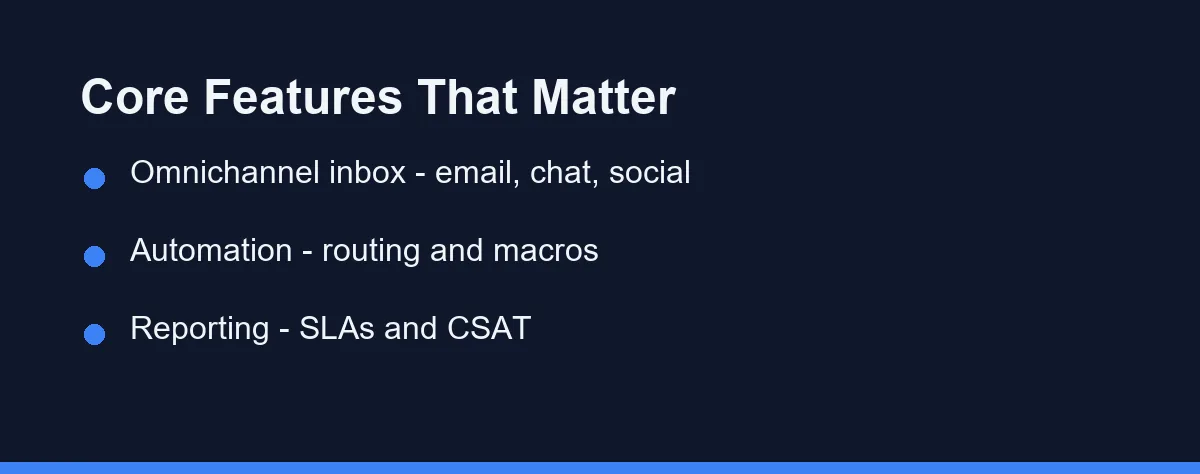
Not every team needs every feature, but a few capabilities matter for almost everyone. Knowing them helps you avoid paying for tools you will never use.
Omnichannel support is the first priority for many teams. A good platform unifies email, live chat, social media, and sometimes phone into one shared inbox.
Automation saves agents from repetitive work. Look for ticket routing, canned responses, and rules that assign or escalate requests automatically.
Reporting and analytics turn support into a measurable function. Dashboards for response times, SLAs, and customer satisfaction help you spot problems early and prove value to leadership.
Top Help Desk Software Compared

The table below summarizes the practical differences between popular help desk platforms. Use it as a starting point, then verify details on each vendor’s site.
| Tool | Best For | Free Tier | Strengths | Watch-outs |
|---|---|---|---|---|
| Zendesk | Scaling support teams | Trial only | Deep features, large app marketplace | Can feel complex and pricey |
| Freshdesk | Balanced value | Yes, limited | Good automation, generous tiers | Advanced features cost more |
| Help Scout | Small, human-first teams | Trial only | Simple shared inbox, clean design | Fewer enterprise extras |
| Zoho Desk | Zoho ecosystem users | Yes, limited | Tight Zoho integration, fair pricing | Best inside the Zoho suite |
| Intercom | Chat-led, product teams | Trial only | Strong messaging and bots | Pricing scales quickly |
| Front | Shared-inbox teams | Trial only | Email-style collaboration, clean UI | Less traditional ticketing depth |
| Gorgias | Ecommerce stores | Trial only | Deep Shopify and store integrations | Focused on ecommerce use cases |
Each tool targets a slightly different buyer. Your channel mix and team size should guide which row fits you best.
A Closer Look at the Leading Tools
Zendesk is often the default choice for teams expecting rapid growth. It offers extensive customization, a huge marketplace of integrations, and mature reporting.
Freshdesk positions itself as the value-focused alternative. It bundles solid automation and multichannel support at accessible entry tiers, which appeals to mid-sized teams.
Help Scout takes a different path with a deliberately simple, email-style interface. Support feels personal rather than ticket-like, which suits boutique and service businesses.
Zoho Desk and Intercom round out the core field. Zoho Desk shines for teams already using Zoho apps, while Intercom leads when live chat and in-product messaging drive your support.
Two specialists are worth knowing as well. Front brings an email-style shared inbox that suits collaborative teams, and Gorgias focuses on ecommerce by pulling store and order data directly into each ticket.
Per Agent Costs and Tier Jumps
Help desk pricing usually scales by the number of agents and the feature tier you select. Plans can change often, so always confirm current numbers on official pages.
Entry tiers tend to cover ticketing and basic channels at a modest per-agent cost. Higher tiers unlock automation, advanced reporting, and integrations.
Some vendors offer free plans or trials with limits on agents or tickets. These are useful for testing the workflow before you commit budget.
As a rule, match the plan to your real channel needs. Paying for enterprise features you will not use is a common and avoidable mistake.
Per-Agent Pricing Across the Tiers
The table shows approximate per-agent monthly pricing so you can compare tiers. These figures are approximate and change often, so confirm current pricing on each official site. All values are at the time of writing.
| Tool | Starter | Mid tier | Higher tier |
|---|---|---|---|
| Freshdesk | Free or ~$15 per agent monthly | ~$49 per agent monthly | ~$79 per agent monthly |
| Zoho Desk | ~$14 to $20 per agent monthly | ~$23 to $35 per agent monthly | ~$40 to $50 per agent monthly |
| Help Scout | ~$20 to $25 per agent monthly | ~$40 per agent monthly | Custom for larger teams |
| Zendesk | ~$19 to $25 per agent monthly | ~$55 per agent monthly | ~$100 plus per agent monthly |
| Intercom | ~$29 plus per seat monthly | Scales with usage | Custom, can rise fast |
Most tools bill per agent each month, so cost grows with team size. Some, like Intercom, add usage-based charges, which can make the final bill harder to predict.
Before you commit, use each free tier or trial to test the real workflow. Confirm agent limits, channel coverage, and any annual-billing discounts, since these often change the effective price more than the headline rate.
Verdicts by Team Type
The right help desk depends on your channels, team size, and budget. Here are direct picks by situation.
Small, human-first team. Choose Help Scout. Its email-style shared inbox keeps support personal, without the ticket-heavy feel of larger platforms.
Value-focused growing team. Go with Freshdesk or Zoho Desk. Both bundle solid automation and multichannel support at accessible entry tiers.
Scaling operation with service targets. Pick Zendesk. Its depth, reporting, and app marketplace handle high volume and strict SLAs as you grow.
Product team led by live chat. Use Intercom. In-product messaging and bots suit teams that support users inside the app itself.
Ecommerce store. Consider Gorgias. Deep store integrations pull order data into tickets, which speeds up common shopper questions.
How to Choose the Right Tool

Start by mapping the channels your customers actually use. If most requests arrive by email, you may not need a chat-heavy platform.
Next, consider your team size and growth plans. A simple tool can feel limiting in a year, while a complex one can overwhelm a small team today.
Then run a trial with real tickets, not just demo data. Hands-on use reveals how the routing, search, and reporting feel in practice for your agents.
Finally, factor in the tools you already own. A platform that connects cleanly to your existing stack reduces friction and manual work.
How Help Desks Fit Your Wider Stack
A help desk rarely works in isolation. It usually sits alongside your sales and project tools, sharing context about customers.
For example, support agents often need account details that live in your sales system. Connecting your help desk to a CRM for small business gives agents that context without app switching.
Likewise, bug reports and feature requests frequently flow from support into engineering. Linking tickets to your project management software keeps those handoffs clean.
Strong integrations are not a luxury here. They are what turn a help desk from a silo into a connected part of your operation.
Overbuying Features Agents Never Adopt
Many teams overbuy on features they never adopt. A long feature list looks impressive but can slow agents down if it adds clutter.
Others underinvest in setup and training. Even the best platform underperforms when routing rules and knowledge bases are left half-configured.
Ignoring reporting is another frequent error. Without tracking response times and satisfaction, you cannot tell whether support is improving.
Finally, some teams skip the trial period. Committing to an annual plan before testing real workflows often leads to regret and migration pain.
Match Channels, Size, and Budget
The best help desk software is the one that fits your channels, team size, and budget. Use the verdicts above as a shortcut to a shortlist.
Zendesk leads on depth, Freshdesk and Zoho Desk on value, and Help Scout on a simple, human feel. Chat-led product teams lean to Intercom, while ecommerce stores are well served by Gorgias.
Shortlist two options and run a short trial with real tickets, not demo data. Confirm the latest pricing on each official site, then commit to the tool your agents will actually enjoy using.
Picking the tool is the easy half. Most of the pain small support teams report traces back to configuration rather than software. Our list of help desk setup mistakes covers the ones worth avoiding on day one.
FAQ
What is the best help desk software for a small team?
It depends on your size and channels. Smaller teams often favor simple, shared inbox tools, while larger support teams lean toward platforms with automation and reporting.
Is there free help desk software worth using?
Yes. Many help desk platforms offer free tiers or trials, though limits on agents, tickets, or channels apply. Always confirm current limits on the official site.
How is a help desk different from a CRM?
A help desk centers on ticketing and support workflows, while a CRM focuses on sales pipelines and customer relationships. Some tools blend both.
How much does help desk software cost per agent?
Paid plans commonly run from about $15 to $100 per agent each month, depending on the tool and tier. Entry tiers cover ticketing and basic channels, while higher tiers add automation, reporting, and integrations. These figures are approximate and change often, so confirm current pricing on each official site at the time you buy.
What is the best help desk software for a very small team?
For a very small team, Help Scout's shared inbox keeps support simple and personal, while Freshdesk and Zoho Desk offer free or low-cost entry tiers. Match the tool to your channels and check current limits on each official site before committing.
Some links may be affiliate links. We may earn a commission at no extra cost to you.
This article was written with AI assistance. It is researched and fact-checked, not based on personal hands-on testing unless explicitly stated.
Comments
Post a Comment