What Actually Breaks When You Move
Yes, you can switch without losing subscribers, since contacts move cleanly through a CSV export. The real work is rebuilding automations, forms, and integrations by hand, then protecting deliverability on the new sending source. If you run a simple newsletter, plan one evening, and if you run several automated flows, plan two weeks.
Most businesses outgrow their first email platform. Prices rise at the next contact tier, a feature you need sits behind a higher plan, or the editor irritates you every single week.
The move gets postponed out of fear. Owners worry that subscribers will vanish, that emails will land in spam, or that years of automation logic will disappear overnight.
Those fears are half right. Your contacts are the safest part of a migration, and everything built around them is the fragile part.
The real risk is deliverability rather than data. Our best email marketing software guide helps if you are still choosing the destination, and the rest of this article assumes you have.
Export With Consent Intact
Start with the export format, because everything downstream depends on it. Confirm the old platform lets you download contacts with tags, custom fields, signup date, and consent source included.
Those last two fields matter more than they look. Signup date and source are your proof of consent, and losing them turns a compliant list into an awkward conversation later.
Check that subscription status carries over as well. Unsubscribes and bounces must arrive on the new platform marked correctly, since emailing a previously unsubscribed contact is a genuine compliance problem rather than a small error.
Clean the list before you export. Removing long-inactive contacts lowers your first bill and improves the engagement signals that protect inbox placement on a new sending source.
What Moves And What You Rebuild

The table separates what moves automatically from what you recreate by hand. Treat it as the plan for your migration week rather than background reading.
| Asset | Transfers Automatically | Effort to Rebuild |
|---|---|---|
| Contacts and tags | Yes, through CSV export | None |
| Custom fields | Yes, if mapped on import | Low, mapping only |
| Unsubscribe and bounce status | Usually, if included in export | Low but critical |
| Email templates | No | Moderate, redesign needed |
| Automations and flows | No | High, rebuild and test each |
| Signup forms and landing pages | No | Moderate, plus site updates |
| Historical campaign reports | No | Export before leaving |
| Integrations and API connections | No | Moderate, reconnect each |
Read the top three rows for reassurance. Everything about your actual subscriber relationship survives the move intact.
Read the bottom five rows for your project plan. That is the genuine work, and underestimating it is why migrations stall halfway through and leave a business sending from two places at once.
Document Every Automation Before You Touch Anything
Screenshot every automation while you still have access. Capture the triggers, wait times, conditions, and email content in order, because none of it can be recovered after cancellation.
A written outline alongside the screenshots is worth the extra hour. Rebuilding from an outline is far faster than reverse-engineering a flow from memory two weeks later.
Rebuild flows in a paused state on the new platform. Switching them on early is the classic trap, and it produces duplicate sends to people who are already mid-sequence.
Test each rebuilt flow with a personal address before activating it. One live subscriber receiving a broken welcome sequence costs more goodwill than the whole migration saves.
Authenticate The Domain First
Domain authentication is the single highest-value step in this process. Add SPF, DKIM, and DMARC records for your sending domain on the new platform before the first campaign goes anywhere. Gmail’s sender guidelines require all three from anyone sending more than 5,000 messages a day to Gmail accounts.
The records take minutes to add and materially change inbox placement. Any destination worth choosing walks you through them in its setup flow.
Check this before you commit, not after. A platform that makes authentication awkward is telling you something about the rest of the experience.
If your domain records are managed by someone else, book that time in advance. Waiting on a web host for DNS changes is a common reason a planned cutover slips a week.
Warming Up Without Landing In Spam
Receiving servers see mail arriving from an unfamiliar source, so a short warm-up protects your reputation. Blasting the full list on day one is the fastest route to a spam folder.
Send the first campaigns to your most engaged segment. Anyone who opened in the last thirty days is a reasonable definition, and their opens and clicks are the signal that establishes you.
Expand gradually from there. Small lists can widen within a few sends, and a list above fifty thousand contacts deserves two to three weeks of measured expansion.
Watch bounces and complaints as you widen. A rising complaint rate is a reason to slow down rather than push through. Gmail asks senders to keep spam rates below 0.10% and never reach 0.30%. Our email marketing vs social media for small business guide explains why this channel is worth protecting.
Never Ask For Consent Twice
Re-permissioning an already-consented list is the most expensive mistake in this whole article. Contacts who consented remain consented, provided you carry the proof across.
A re-permission campaign typically loses a large share of a perfectly healthy list. People who would have happily kept reading simply do not open that particular email.
Carry the consent fields instead. Signup date, source, and status in your export are what let you demonstrate consent without asking anyone to confirm it again.
There are narrow exceptions, usually involving a list of uncertain origin or a change of legal entity. If that describes you, take advice rather than guessing from a blog post.
Three Shapes Of Migration
Migrations fall into three shapes, and each carries different risk. Identify yours before you plan the cutover date.
The Simple List Move
A regular newsletter with no automations is a one-evening job. Export the CSV, import it, rebuild the template, and update your signup form before you sleep.
With nothing complex to preserve, you can migrate between two campaign sends and nobody notices. The one step not to skip is domain authentication.
The Automation-Heavy Migration
Welcome sequences, abandoned enquiry flows, and lead nurture tracks all need documenting, rebuilding, and testing individually. Budget two weeks of part-time work rather than an evening.
Our HubSpot vs Mailchimp comparison covers platforms where this complexity is common, and where the automation builder itself should influence the destination.
The Ecommerce Store Migration
Emails carrying product data are the most involved case. Purchase history, product feeds, and revenue tracking all depend on a live integration rather than a file import.
Order matters here. Connect the store integration first, confirm data flows correctly, then migrate contacts and rebuild flows, and export historical revenue reports before you leave because attribution does not follow you. Our Shopify vs WooCommerce guide covers the platform underneath that integration.
The Forms On Your Website Still Point Backwards
Every signup form, popup, and landing page on your site points at the old provider. Each one needs redirecting, and a missed form collects contacts you will never see.
Audit the whole site rather than the pages you remember. Footer forms, blog sidebars, and old campaign landing pages are the usual survivors.
Check your other connected systems too. An ecommerce platform, a CRM, or a booking tool may push contacts on a schedule, and each connection needs pointing at the new destination.
Test each form by submitting it yourself. A real signup arriving in the new platform is the only confirmation worth having.
Budget The Overlap, Not Just The Plan
Run both platforms in parallel for at least one full billing cycle. That overlap is the cheapest insurance in this process, and it turns a stressful cutover into a reversible one.
Watch how each platform counts your list. Billing on total contacts rather than active subscribers makes pre-import cleaning directly worth money.
Check whether migration assistance is included. Several providers offer free import help or guided onboarding above a certain list size, which can save a weekend of work.
Leave annual billing until you are settled. Committing to a year before sending a single campaign removes your escape route for a modest discount.
Factor in your own time honestly, since an automation-heavy migration can absorb several working days. At the time of writing, contact-counting rules still differ between vendors. Confirm the current billing basis on the official Mailchimp pricing page before you choose. The official Constant Contact pricing page sets out a contrasting model.
Which Migration Plan Fits Your Setup

The newsletter with no automations: Migrate in one evening. Export, import, authenticate, rebuild the template, and update the signup form the same night.
The business running three or more active flows: Plan a two-week migration. Document everything first, rebuild paused, and test each flow with a personal address before activating.
The ecommerce store with revenue tracking: Connect the store integration before migrating contacts. Export historical revenue reports first, since attribution data stays behind.
The list above fifty thousand contacts: Warm up over two to three weeks. Start with the most engaged segment and expand in stages rather than all at once.
The business switching purely to cut costs: Clean the list before you export. Removing inactive contacts often saves more than the platform change itself.
The team without technical support: Choose a destination offering migration assistance. Guided imports and authentication help are worth more than a small monthly saving.
Reversible Beats Fast
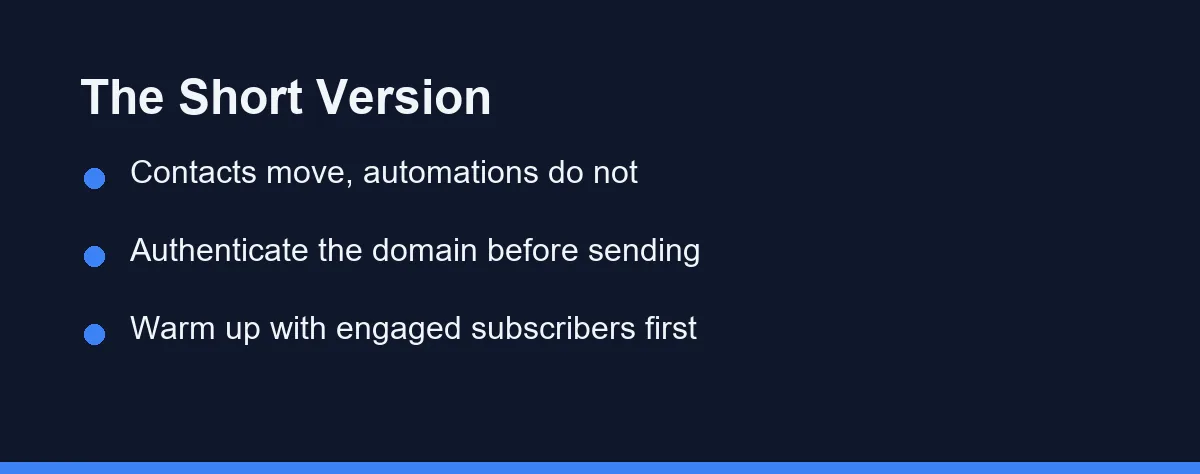
Switching email platforms is a rebuild rather than a transfer. Your subscribers move safely, and everything built around them needs recreating with a little patience.
Pick a quiet window rather than the week before a launch. Authenticate the domain, warm up with engaged contacts, and never re-permission a list that already consented.
Keep the old account for one more cycle than feels necessary, and confirm current pricing and import support on the destination platform’s official site. Our Mailchimp vs Constant Contact comparison is a useful last check if the destination is still open.
Migrating is also the natural moment to stop carrying names that never open, which we cover in are you paying for subscribers who never open your emails.
The same migration problem shows up wherever your work lives inside a tool. Switching a coding assistant carries an equivalent risk to your accumulated setup, which we cover in how to switch AI coding assistants without losing your setup.
FAQ
Will I lose subscribers when I switch email marketing platforms?
Your contacts transfer cleanly through a CSV export and import, so the list itself is safe. What breaks is everything built around it, including automations, forms, templates, and signup integrations. Plan to rebuild those by hand rather than expecting them to move.
How long does it take to migrate an email list?
Most small lists move within a week of part-time work. Export and import take under an hour, and the remaining time goes to rebuilding automations, templates, and forms. Larger lists with complex segmentation and many active flows can take several weeks.
Does switching platforms hurt email deliverability?
Deliverability usually dips briefly because the receiving servers see a new sending source. Warming up by sending to your most engaged segment first limits the damage. Authenticate your domain on the new platform before the first campaign goes out.
Do I need to ask subscribers to opt in again after migrating?
No, and re-permissioning an already-consented list is a common and costly mistake. Contacts who consented remain consented, so long as you carry over the proof and the consent details. Keep the signup date and source fields in your export.
When should I cancel the old platform?
Keep the old account active for at least one full billing cycle after your first successful campaign. That window lets you retrieve forgotten templates, historical reports, and any automation logic you did not document. Cancel only once you have sent normally from the new platform.
Sources
- Google Workspace Admin Help: Email sender guidelines — checked 2026-10-01
Some links may be affiliate links. We may earn a commission at no extra cost to you.
How this article was made: it was drafted with AI assistance from the official sources listed above, and its figures were checked against those pages on the dates shown. It is not based on personal hands-on testing.
Comments
Post a Comment