
Two Products That Stopped Being The Same Thing
Mailchimp and Constant Contact get shortlisted together because both send newsletters. That shared job hides how differently they have grown.
Mailchimp spent the last decade adding audience data, automation, and store integrations, and it now behaves like a marketing suite that happens to send email. Constant Contact stayed closer to its original promise: get a non-technical person to a good-looking campaign quickly, with a person on the phone when it breaks.
Neither direction is wrong. They just make different people happy, and the feature grid alone will not tell you which one you are.
This guide compares them on the things that actually change your month. How each counts the contacts you pay for, how much automation you will realistically configure, what happens when you need help, and what you lose if you leave. Plans and prices change often, so confirm current figures on each official site, at the time of writing.
The Answer In Two Sentences
Choose Mailchimp if you want behaviour-based automation, deeper segmentation, and reporting you will actually dig into, and you accept a busier interface to get them.
Choose Constant Contact if you want to send a clean campaign this afternoon, run events or surveys from the same tool, and reach a human by phone without buying a premium tier.
If both still sound reasonable after that, the tiebreaker is usually not features. It is whether anyone on your team enjoys configuring things.
What You Are Actually Buying
The clearest way to separate them is to ask what each product is optimised to do when you are not looking.
Mailchimp is optimised for a marketer who wants the tool to react to behaviour. Audiences, tags, and behavioural segments exist so a purchase, a click, or three weeks of silence can trigger something without you touching it. That machinery is the product.
Constant Contact is optimised for a person who has to get a campaign out between other jobs. Fewer decisions per screen, an editor that resists breaking, templates aimed at common small-business sends, and support that answers. That reliability is the product.
The mistake is buying the machinery and never wiring it up. A half-configured automation suite is worse than a simple tool used well, because you pay for depth and still send the same monthly newsletter by hand.
Where The Money Actually Goes As Your List Grows
Both platforms bill in tiers that rise with your contact count, and both look affordable at the size most people evaluate them. The surprise arrives later, and it usually comes from the definition rather than the price.
The number that matters is what each platform counts as a billable contact. Whether unsubscribed, bounced, or inactive addresses still count toward your tier changes the bill more than the headline rate does. Check that definition on each official pricing page before you compare anything else.
Mailchimp organises people into audiences, and the same person sitting in two audiences can be counted more than once. That structure is fine if you keep one audience and segment inside it, and expensive if you spin up an audience per campaign type.
Constant Contact’s structure is flatter, which makes the count easier to predict but gives you less room for behavioural targeting. Simplicity in billing and simplicity in segmentation come from the same design decision.
Price both platforms at the list size you expect in a year, not the one you have today. The cheapest entry tier is a poor guide, because the curve, not the starting point, is what you will live with. Review current tiers on the Mailchimp website and the Constant Contact website.
The Comparison That Matters
The table sums up the practical differences. Treat the pricing rows as shape rather than quotes.
| Factor | Mailchimp | Constant Contact |
|---|---|---|
| Free access | Limited free tier for very small senders | Trial period, no permanent free plan |
| How pricing scales | By contacts, with audience structure affecting the count | By contacts, flatter structure |
| Interface | Modern, feature-dense | Deliberately simple |
| Automation | Multi-step, behaviour-triggered | Welcome and basic sequences |
| Segmentation | Tags plus behavioural segments | Lists and tags |
| Events and surveys | Not a focus | Built-in registration and surveys |
| Reporting | Deep, with A/B testing | Core metrics, clearly presented |
| Phone support | Reserved for higher tiers | Available more broadly |
| Integrations | Very large ecosystem | Smaller, more focused |
| Best fit | Behaviour-driven campaigns | Fast, guided sends and events |
Read the rows against your own week. If nothing in the automation or segmentation row describes something you will build within a month, those rows are not worth paying for.
Automation You Will Use Versus Automation You Will Configure

Mailchimp’s automation is genuinely deeper. Multi-step journeys can branch on what someone clicked, bought, or ignored, and segments can be defined by behaviour rather than by a list someone was dropped into.
That depth pays off in two situations: when you sell something repeatedly, and when your list is large enough that sending everyone the same email is visibly wasteful. Outside those cases it mostly adds screens.
Constant Contact covers the automations most small senders actually run. A welcome sequence, a follow-up after a form, a resend to people who did not open. These cover a surprising share of real-world email marketing.
The honest test is to write down the automations you will have running ninety days from now. If the list is short and linear, the simpler tool wins on the only metric that matters, which is whether the emails go out.
Events And Surveys, The Feature That Settles It For Some
For a subset of organisations this section decides everything, and for everyone else it is irrelevant.
Constant Contact includes event registration and surveys in the product. If you run workshops, fundraisers, classes, or member meetings, that means invitations, registrations, and the follow-up all live where your list lives.
The alternative is stitching a separate registration tool to Mailchimp through an integration. That works, and plenty of organisations do it, but it adds a connection to maintain and a second place where contact data can drift out of sync.
If events are a regular part of your calendar, weigh this more heavily than the automation comparison. It is the one capability gap here that is structural rather than a matter of degree.
Why Your Inbox Rate Is Mostly Your Own Doing
Both platforms have invested in sender reputation for years, and neither will rescue a badly built list. Deliverability is largely a consequence of your own practices.
Three habits move the needle more than the platform choice. Authenticate your sending domain with SPF, DKIM, and DMARC records so mailbox providers can verify you. Send from a domain you own rather than a free mailbox address. Remove addresses that have not engaged in a long time, even though the list count is satisfying to look at.
Both tools provide the setup guidance for domain authentication, and both will tell you when records are missing. The step people skip is the third one, because pruning a list feels like going backwards.
Import discipline matters too. Uploading an old spreadsheet of addresses that never opted in is the fastest way to damage a sending reputation you then carry between platforms.
When Support Is The Actual Product
Support looks like a footnote until a campaign is due and something is wrong. Then it is the whole product.
Constant Contact’s reputation rests heavily on accessible phone support at most tiers. For a small business without a marketing specialist, being able to describe a problem out loud to a person is worth real money.
Mailchimp leans on documentation, chat, and email, with phone help reserved for premium plans. That suits teams comfortable searching a help centre and reading their way to an answer.
Price this honestly. If nobody on your team wants to debug an automation at nine in the evening, the tool with a phone number may be cheaper than the one with better features.
Leaving Later: What Moves And What Does Not
Both platforms let you export contacts, which is why migration is usually described as easy. That description is only half true.
Your contacts move. So, with effort, does template content, though usually as HTML you will need to tidy rather than as an editable design.
What does not move is everything you built around the contacts. Automations, segment definitions, signup forms, landing pages, tags, and your entire reporting history stay behind. Rebuilding those is the real cost of switching, and it grows every month you use the tool well.
The practical implication is not that switching is impossible. It is that the decision gets more expensive the longer you defer it, so it is worth spending a week deciding properly rather than defaulting into a tool and reconsidering in year two.
If Constant Contact is the one you are leaning toward, price it against what you actually get. We run that check in is Constant Contact worth it for small business.
If Neither One Fits
These two are not the only options, and a few situations point elsewhere.
If cost per contact is your binding constraint, some platforms bill by emails sent rather than list size, which changes the maths for large lists emailed rarely. Our Constant Contact vs Brevo comparison walks through where that flips the decision.
If you publish content and sell to an audience rather than to a customer list, a creator-focused tool fits better than either. See ConvertKit vs MailerLite for creators.
If email is one part of a sales pipeline you also want to track, the CRM side matters more than the editor. HubSpot vs Mailchimp covers that trade-off.
For the full field rather than a head-to-head, start with our best email marketing software roundup.
Which Platform Fits Your Situation
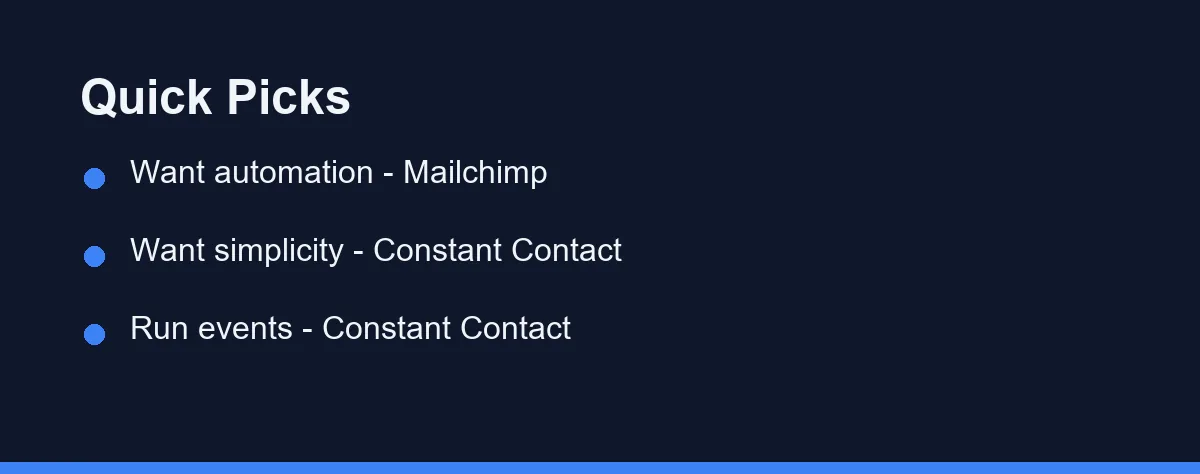
The right platform depends on who you are more than on any single feature.
Beginners and non-technical senders: Constant Contact usually wins. A simpler interface and accessible phone support get a first campaign out without a learning project attached.
Nonprofits and event-driven organisations: Constant Contact tends to fit best. Built-in registration and surveys suit groups that run programmes rather than funnels. Our guide to the best email marketing service for small nonprofits works through the same decision on a tighter budget.
Growing teams that will actually build automation: Mailchimp is the stronger pick. Behaviour-based journeys and A/B testing reward a team willing to configure and iterate.
Ecommerce and data-driven marketers: Mailchimp generally leads. Store integrations and deeper reporting help tie email to what people bought.
Very small or budget-first senders: Mailchimp’s free tier is the easier entry point, provided you keep to one audience so the contact count stays honest.
Anyone whose real constraint is time: Constant Contact. The tool you can operate in twenty minutes beats the tool you keep meaning to set up properly.
Before You Pick
Estimate the list size you expect in a year and price both platforms at that number, not today’s. Then read how each one defines a billable contact, because that definition is where the bill diverges from the quote.
Write down the automations you will genuinely have running in ninety days. A short, linear list argues for the simpler tool no matter how impressive the alternative looks in a demo.
Finally, send one real campaign to a real segment on each trial. Editors and support queues reveal their character under a deadline, which is the only condition that matters. Confirm current features and pricing on the official sites before committing.
FAQ
Is Mailchimp or Constant Contact better for small business?
Neither wins outright, because they optimise for different people. Mailchimp suits a business that will actually build behaviour-based automation and dig into reporting. Constant Contact suits a business whose real constraint is time, or one that runs events and wants registration in the same tool. A useful test is to write down the automations you will have running in ninety days; a short, linear list argues for the simpler platform.
Can I move my contacts from one tool to the other?
Your contacts move easily, since both support CSV import and export. What does not move is everything built around them, including automations, segment definitions, signup forms, landing pages, and your entire reporting history. Templates usually transfer only as HTML you then have to tidy. Migration is therefore less about the contact list and more about rebuilding the setup, which gets costlier the longer you have used the tool well.
Do Mailchimp and Constant Contact have free plans?
Mailchimp has offered a limited free tier aimed at very small senders, while Constant Contact typically offers a trial rather than a permanent free plan. Both revise these terms regularly, so confirm the current limits on the official Mailchimp and Constant Contact pages before signing up. If you plan to start on a free tier, keep to a single audience, because contact-counting rules decide when free ends more than the send volume does.
What is the difference between Mailchimp and Constant Contact?
The core difference is focus. Mailchimp emphasizes advanced automation, deep segmentation, and analytics, which suits scaling and data-driven teams. Constant Contact emphasizes simplicity, phone support, and built-in event tools, which suits beginners and event-driven groups. Both send campaigns well, so the gap is depth versus ease.
Is Constant Contact cheaper than Mailchimp?
It depends on your contact count. Mailchimp offers a limited free tier and a low paid entry, while Constant Contact has no permanent free plan and often starts a little higher, though it includes phone support more broadly. Price both at your exact list size, since costs rise with contacts on either platform.
Some links may be affiliate links. We may earn a commission at no extra cost to you.
This article was written with AI assistance. It is researched and fact-checked, not based on personal hands-on testing unless explicitly stated.
Comments
Post a Comment