
When the Inbox Stops Scaling
Pick ownership and a single queue as your first two fixes, because they make every other fix on this list measurable. Teams with good dashboards and unhappy customers should change what they measure next. Teams buried in repeat questions should write their top answers before automating anything.
Support breaks quietly. One week, two people answer the same mailbox and it feels efficient. A month later a customer waits three days because everyone assumed somebody else had replied.
Buying help desk software is the obvious response, and it is only half the job. The setup decisions made in the first week determine whether the tool speeds the team up or adds a layer of admin to the same confusion.
The mistakes below repeat across small teams with unusual consistency. Each one has a symptom you can recognize and a fix that takes less time than the workaround it replaces.
Mistake One: Treating the Help Desk Like a Shared Inbox
The most common error is importing the old habit into the new tool. Tickets land in one queue, everyone can see them, and nobody actually owns any of them.
The symptom is duplicate replies and silent drops in the same week. Two people answer the interesting question, and the awkward one sits untouched because it belongs to no one.
The fix is assignment, not etiquette. Set a rule that every ticket gets an owner within a fixed window, and let the tool enforce it with a round-robin or a triage shift.
Ownership also makes the rest of this list possible. You cannot measure resolution or spot a rotting queue when responsibility is collective.
Mistake Two: Building Categories Before You Have Tickets
New help desks tempt you into an afternoon of taxonomy. Teams create twenty categories, six priority levels, and a routing rule for each, all before a single real ticket arrives.
The symptom shows up two months later. Half the categories hold nothing, agents pick whichever looks closest, and the reporting built on top of them describes fiction.
Start with three or four broad buckets instead. Real volume will tell you where the splits belong, and adding a category later costs nothing while removing a dead one is a cleanup job.
Let the same restraint apply to custom fields. Every required field is a small tax on every ticket, paid by the person with the least time.
Mistake Three: Automating Replies Before Writing Them
Automation is the feature everyone wants first, and it multiplies whatever quality already exists. A canned reply that does not answer the question simply annoys people faster.
The symptom is a rising reply count with no fall in reopened tickets. Customers respond to the automation asking the question again, and the team ends up handling each case twice.
Write the answers before you schedule them. Take the five questions you receive most, write a genuinely complete reply to each, and only then turn them into macros or triggers.
Keep an auto-acknowledgment simple and honest. Confirming receipt with a realistic timeframe is useful, while a cheerful message implying a human has read the ticket is not.
Mistake Four: Measuring Response Time and Nothing Else

First response time is the easiest metric to move and the easiest to game. A team can hit an excellent average by replying quickly with nothing of substance.
The symptom is a dashboard everyone is proud of beside customers who still feel ignored. Speed improved, and the waiting simply moved to the second message.
Read three numbers together instead. Track first response time, full resolution time, and the share of tickets closed on the first reply, because the third one exposes the other two.
Add one qualitative check nobody automates. Read five closed tickets a week end to end, and the pattern you notice will be worth more than the dashboard.
Mistake Five: Letting the Knowledge Base Rot
Most small teams publish a knowledge base once and never touch it again. Articles describe a product from two versions ago, and support starts quietly telling people to ignore it.
The symptom is a help center with traffic and no deflection. People visit, do not find what they need, and open a ticket anyway.
Tie articles to tickets to keep them alive. When an answer gets typed a third time, that is the article to write, and linking it from replies keeps it in circulation.
Review the top articles quarterly rather than the whole library. A short list that is accurate beats a long one that is stale, and nobody has time to audit fifty pages.
Mistake Six: Hiding the Human Behind the Form
Some setups make contact deliberately difficult, usually to reduce volume. A long form, a forced category, and no email address anywhere is the usual shape.
The symptom is anger arriving before the question does. Customers who fought the form open the conversation frustrated, and the ticket takes longer for everyone.
Keep one obvious, low-friction route open. A visible email address or a simple contact form costs less than the goodwill a maze burns.
Chat changes this calculation if you can staff it. A live channel that nobody answers is worse than no chat at all, and our guide to the best live chat software covers what staffing one honestly requires.
Mistake Seven: Ignoring Where Customers Actually Ask
Your help desk is not the only place people ask for help. Questions arrive on social replies, in a founder’s personal inbox, and inside the app, and those never reach the queue.
The symptom is a support workload that feels heavier than the ticket count suggests. Someone is answering, and nothing is recorded.
Route the side channels into the same system. Most platforms accept forwarded mail and social messages, and the goal is one queue rather than one channel.
Then check what the ticket history tells you about customers. Support conversations belong beside the account record, which is why linking to a CRM matters, as our best CRM for small business guide explains.
The Seven Mistakes and Their Fixes
The table condenses the list into something you can work through in order. Effort is a rough guide rather than a promise.
| Mistake | What You Notice | The Fix | Effort |
|---|---|---|---|
| Shared inbox habits | Duplicate replies, dropped tickets | Assign an owner within a set window | Low |
| Category sprawl | Empty buckets, unusable reports | Start with three or four, expand later | Low |
| Automation before answers | Reopened tickets rising | Write the top five replies first | Medium |
| Speed as the only metric | Good dashboard, unhappy customers | Track resolution and first-contact closes | Low |
| Stale knowledge base | Traffic without deflection | Write articles from repeated answers | Medium |
| Contact friction | Angry openings | Keep one low-friction route visible | Low |
| Unrouted side channels | Workload exceeds ticket count | Forward every channel into one queue | Medium |
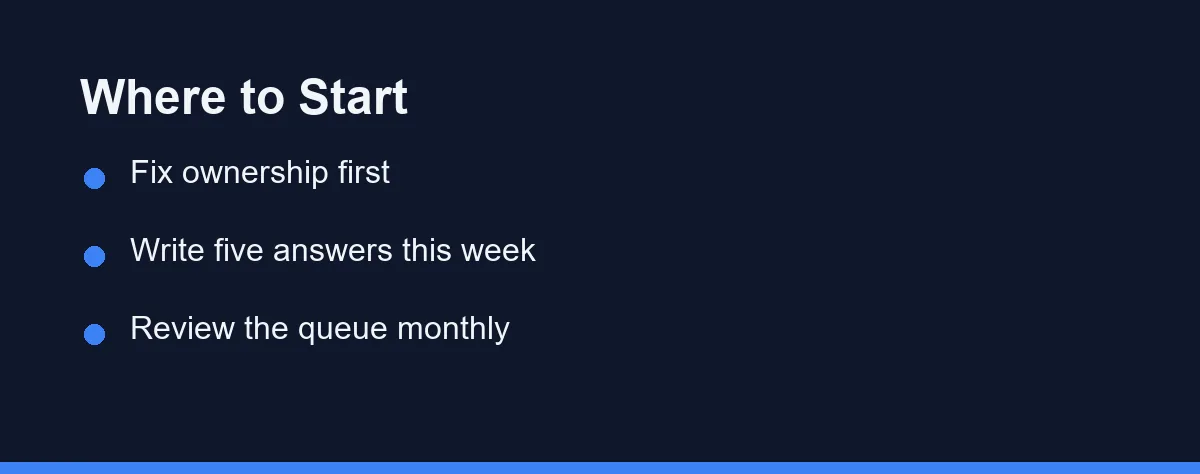
Two rows deserve priority regardless of your situation. Ownership and a single queue are what make every other fix measurable, so they come first even when they are not the loudest problem.
The rest can wait for a quiet week. Support cleanup rewards steady small changes far more than a redesign.
What a Sane Setup Costs
Help desk platforms almost always bill per agent per month, with tiers that gate automation, reporting, and extra channels. As of September 2026, Freshdesk lists its Growth plan at $19 per agent per month and Pro at $55, both billed annually. Confirm current pricing on the official site of any product you shortlist, at the time of writing.
The variable that catches small teams is occasional helpers. A founder who answers tickets on weekends may need a full seat on one platform and a light or collaborator seat on another, and that difference changes the ranking.
Watch which channel unlocks at which tier. Chat, phone, and social are commonly higher-tier features, so a plan chosen on price can quietly exclude the channel that caused the problem.
Weigh the setup effort as a cost too. A cheaper tool that takes three weeks to configure is not cheaper, and our roundup of the best help desk software compares where that effort lands.
Which Fix Should Come First for Your Team
The two-person team still living in a shared mailbox: Fix ownership before you buy anything. If assignment alone resolves the duplicate replies, you have bought yourself six months to choose a platform properly.
The team that just migrated and feels slower: Delete categories and required fields. Post-migration drag is nearly always taxonomy built in advance, and stripping it back restores the speed the tool promised.
The team drowning in repeat questions: Write the top five answers this week. Deflection is the only lever that reduces volume rather than redistributing it.
The team with good numbers and unhappy customers: Stop optimizing first response time. Read five closed conversations end to end and fix what you find, because the dashboard is measuring the wrong half of the job.
The team answering everywhere at once: Consolidate channels before touching anything else. Work you cannot see cannot be staffed, and hidden volume is what makes a small team feel permanently behind.
Rebuild It in One Afternoon
Pick the single fix that matches your symptom and do only that one. Support setups get worse when a team changes five things and cannot tell which change helped.
Give it three weeks before judging. Ticket patterns are weekly, so anything shorter measures noise.
Then repeat the pass with the next mistake down the list. Two fixes done properly beat seven done in a burst that nobody maintains.
Write down what you changed and why, somewhere the next person will find it. Most bad help desk setups are not bad decisions but forgotten ones, and a short note is what keeps this list from applying to you again next year.
FAQ
When should a small business move from a shared inbox to a help desk?
Usually when two or more people answer the same mailbox, or when questions start getting answered twice and dropped once. A shared inbox works while one person owns it, and it stops working the moment ownership is ambiguous.
How many ticket categories should a small support team create?
Start with three or four broad ones and let real tickets reveal the rest. Categories invented before you have volume describe the business you imagined rather than the questions people actually send, and nobody maintains a taxonomy they did not need.
Is first response time a good support metric?
Not on its own, because a fast reply that resolves nothing simply moves the wait later. Pair it with resolution time and the share of tickets closed on the first reply, and read all three together rather than optimizing the one that is easiest to improve.
Does a small team need a knowledge base?
Write the five answers you send most often, publish them, and link to them from your replies. A knowledge base earns its keep by deflecting repeat questions, so measure it by which articles get opened rather than by how many exist.
How is help desk software usually priced?
Most help desk platforms bill per agent per month, with tiers that gate automation, reporting, and channels such as chat or phone. Seasonal or part-time helpers are the detail that changes the math, since some vendors offer light or occasional seats and others do not. Confirm current pricing on the official site at the time of writing.
Sources
- Freshdesk: Pricing — checked 2026-10-01
Some links may be affiliate links. We may earn a commission at no extra cost to you.
How this article was made: it was drafted with AI assistance from the official sources listed above, and its figures were checked against those pages on the dates shown. It is not based on personal hands-on testing.
Comments
Post a Comment