Where Did the Week Actually Go
Time tracking software has become a core tool for modern teams. It helps businesses understand where hours actually go each week. The right tool can reveal hidden inefficiencies and support accurate client billing.
There is no universal best pick, but a few options stand out. Toggl Track is a strong choice for simple, friendly tracking, and Clockify appeals to budget-conscious teams with its free unlimited-user plan.
Harvest suits teams that need invoicing tied to tracked hours. Hubstaff adds productivity monitoring and GPS features for distributed workforces, and RescueTime focuses on automatic tracking and personal focus insights.
This guide compares them on practical buying criteria rather than marketing claims. Two questions decide most of it, and neither one is about features.
Trust, Surveillance, And Team Buy-In
The first question is how much watching your team will accept, because a tracker nobody uses produces no data at all. This is a culture decision that happens to involve software.
Hubstaff exposes screenshots, activity levels, and GPS as options you can switch off per user rather than as an always-on default. Toggl Track and Clockify sit at the other end, where a timer is a timer.
Rules differ sharply by country and by state, and this is not legal advice, so check your local employment law before switching anything on. The common thread across most jurisdictions is notice and proportionality, meaning staff should know what is recorded and the data should serve a stated business purpose.
Many teams get the accountability they wanted from project-level time data alone. Knowing that a client took forty hours instead of twenty-five answers the business question without the trust cost that screenshots carry.
So decide the monitoring question before the tool question. It eliminates or promotes entire products in a way that no comparison table can.
From Timesheet To Invoice
The second question is who raises the invoice, and there are only two routes. The one you pick shapes your shortlist more than any interface preference.
Harvest and Hubstaff build invoicing in. Tracked hours attach to a billable rate and become a client invoice inside the same product, which removes the monthly reconciliation that eats an afternoon.
Toggl Track and Clockify lean on export or an accounting integration instead. Approved hours flow into QuickBooks or Xero, where the invoice is raised by the system that already holds your books.
Neither route is wrong, but retrofitting billing later is the painful path. Decide which system you want to own the invoice before you compare features, and compare your tracker against your finance stack using our best accounting software for small business guide.
Five Trackers and Who Each One Suits
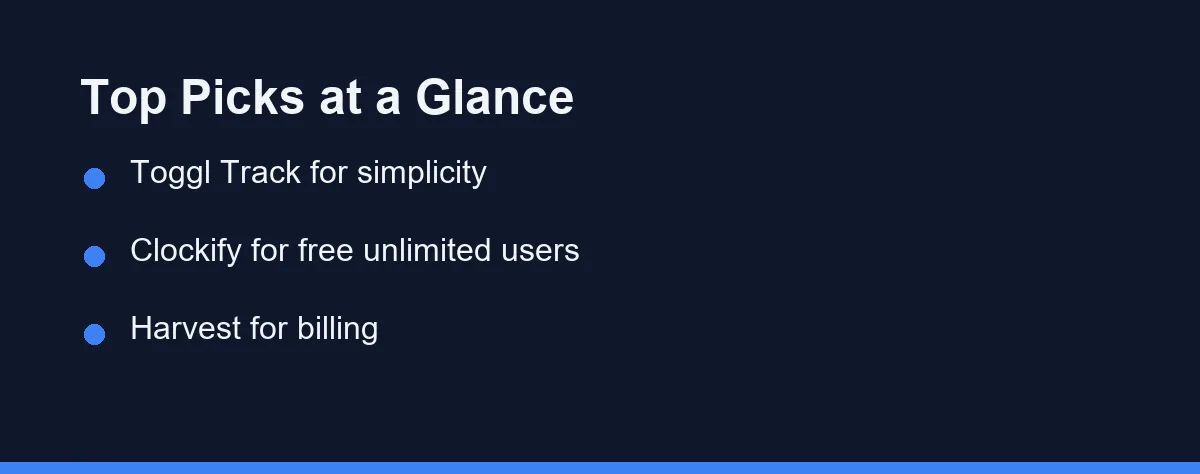
The market includes many capable products, but a handful lead consistently. Below are five widely recognized options, each with a clear strength.
Ease of use matters more than feature count for most teams, since a tool people avoid provides no useful data. Reporting depth is the other differentiator, so consider whether you need simple summaries or detailed, exportable analytics to justify decisions to clients and managers.
Toggl Track
Toggl Track is known for its clean design and one-click timer. It works across web, desktop, and mobile platforms. The tool is popular with freelancers and small teams who value speed.
Its reporting is clear without being overwhelming. Toggl Track also offers a free tier for small groups. Paid plans add billable rates, project budgets, and richer admin controls.
Clockify
Clockify is widely cited for its generous free plan. The free tier supports unlimited users for core tracking, which is unusual. This makes it attractive for larger teams on a tight budget.
It includes timesheets, reports, and project tracking out of the box. Paid tiers unlock features like locked timesheets and advanced reporting. Many teams start free and upgrade only when needed.
Harvest
Harvest combines time tracking with built-in invoicing. This pairing suits agencies and consultancies that bill by the hour. Tracked time can flow directly into client invoices.
It integrates with many accounting and project tools. Harvest keeps its interface focused and approachable. The billing features are its main differentiator from simpler trackers.
Hubstaff
Hubstaff targets distributed and field-based teams. It offers optional activity monitoring, screenshots, and GPS tracking. These features help managers oversee remote or mobile work.
Such monitoring is not right for every culture, so use it thoughtfully. Hubstaff also supports payroll and invoicing workflows. It fits organizations that need accountability alongside time data.
RescueTime
RescueTime emphasizes automatic, passive tracking. It records how time is spent across apps and websites. This focus suits individuals working on personal productivity.
It provides focus tools and detailed activity reports. RescueTime is less about client billing and more about self-awareness. Teams seeking deep manual project tracking may prefer other tools.
The Trackers Compared
The table below summarizes practical differences between the main options. Use it as a starting point, not a final verdict. Confirm details on each vendor site, as features change over time.
| Tool | Best For | Free Plan | Built-in Invoicing | Monitoring Features |
|---|---|---|---|---|
| Toggl Track | Simple team tracking | Yes (small teams) | Limited | No |
| Clockify | Budget-conscious teams | Yes (unlimited users) | Add-on | Optional |
| Harvest | Agencies billing hours | Limited | Yes | No |
| Hubstaff | Remote and field teams | Limited | Yes | Yes |
| RescueTime | Personal productivity | Limited | No | Automatic only |
The table shows clear trade-offs across the field. Clockify leads on free access, while Harvest leads on billing. Hubstaff stands out where oversight is a priority.
Choosing well means matching a row to your top requirement. No single tool wins every column, and that is normal in this category.
Integrations and the Rest of Your Stack
List the apps the tool must connect with before you shortlist anything. Most leading trackers integrate with popular project and accounting platforms through native connectors or Zapier, but coverage varies by plan as well as by vendor.
Verify those integrations exist on the plan you can actually afford. A connector that appears only on a higher tier creates daily friction for the team and a surprise on the invoice.
Native connectors beat workarounds whenever both exist. A Zapier bridge works, though it adds a subscription and one more thing that can silently stop running.
Think about the wider stack too. Strong time tracking pairs naturally with project planning, so review the best project management software alongside this decision. Many teams also connect tracking to a CRM, and our best CRM for small business guide shows how that data links up.
What Per-User Pricing Hides
Pricing in this category varies widely by vendor and plan. Most tools use per-user, per-month tiers with annual discounts, and several offer free plans with meaningful limits.
Rather than quoting figures that quickly go stale, treat pricing as a moving target. Free tiers often cover the basics but cap advanced reporting or invoicing, and higher tiers add admin controls, integrations, and security features.
Watch for hidden limits, such as caps on projects or on how far report history goes back. A low headline price can rise once add-ons are included, and per-user billing multiplies every increase by your headcount.
Because plans and promotions change frequently, always confirm current pricing directly. Check the official sites for Toggl Track, Clockify, Harvest, Hubstaff, and RescueTime, and look closely at any per-user costs and feature gates before you commit.
Which Tracker Fits Your Situation
The table lays out the trade-offs. This section makes the call for the situations buyers describe most often.
The freelancer billing three clients by the hour: Choose Toggl Track. A one-click timer and a clean weekly report are the whole job, and the free tier usually covers a single tracker. Add invoicing through your accounting tool rather than paying for a heavier platform.
The agency of ten billing hours to clients: Choose Harvest. Tracked time flowing straight into an invoice removes the monthly reconciliation that eats an afternoon. The billing depth is the reason to pay, not the timer itself.
The thirty-person team that mainly wants visibility: Choose Clockify. Unlimited users on the free plan is the rare feature no competitor matches, and core timesheets cover most internal reporting. Upgrade only when you need locked timesheets or approvals.
The company with field crews or contractors: Consider Hubstaff, and decide the monitoring question before the tool question. GPS and activity data suit work you genuinely cannot see, and they corrode trust everywhere else.
The solo worker trying to reclaim focus: Choose RescueTime. Passive tracking answers where the day went, which is a different question from what to bill. Manual timers rarely survive contact with a distracted week.
Run a One-Week Trial
Write down your single most important need first. It might be invoicing, free access, simplicity, or oversight, and that anchor keeps the decision focused when feature lists start to blur.
Then run a short trial with real tasks. Have a few team members track actual work for a week, because their feedback reveals usability issues that a demo hides.
Watch adoption rather than output during that week. A tracker people forget to start is worse than no tracker, since partial data leads to confident wrong conclusions.
Confirm current pricing officially before you roll it out, and you will be ready to commit with confidence. For wider context, explore related guides like the best help desk software to round out your team’s toolkit.
Some teams never need a separate tool at all. Our comparison of built-in time tracking against a dedicated app prices both routes per seat before you add another subscription.
FAQ
What is the best time tracking software in 2026?
There is no single winner because the best choice depends on team size, billing needs, and integrations. Toggl Track and Clockify suit lightweight needs, while Harvest and Hubstaff add invoicing or monitoring. Always confirm current features and pricing on each official site.
Is there a free time tracking tool worth using?
Clockify is widely known for a generous free tier that supports unlimited users for basic tracking. Toggl Track also offers a free plan for small teams. Check each vendor site for the latest free-plan limits.
Do time tracking tools integrate with project management apps?
Most leading tools integrate with popular project and accounting platforms through native connectors or Zapier. Coverage varies by plan and vendor, so verify your specific apps are supported before committing.
Is it legal to monitor employees with screenshots and activity tracking?
Rules differ sharply by country and by state, and this is not legal advice, so check your local employment law before switching anything on. The common thread in most jurisdictions is notice and proportionality, meaning staff should know what is recorded and the data should serve a stated business purpose. Hubstaff exposes screenshots, activity levels, and GPS as options you can disable per user rather than as an always-on default. Many teams get the accountability they wanted from project-level time data alone, without the trust cost that screenshots carry.
How do tracked hours turn into a client invoice?
There are two routes and the choice shapes your tool selection. Harvest and Hubstaff build invoicing in, so tracked hours attach to a billable rate and become a client invoice inside the same product. Toggl Track and Clockify lean on export or an accounting integration instead, sending approved hours into QuickBooks or Xero where the invoice is raised. Decide which system you want to own the invoice before you compare features, because retrofitting billing later is the painful path.
Some links may be affiliate links. We may earn a commission at no extra cost to you.
This article was written with AI assistance. It is researched and fact-checked, not based on personal hands-on testing unless explicitly stated.
Comments
Post a Comment