
Three Philosophies, One Shortlist
Asana, Monday, and ClickUp keep landing on the same shortlist, and it is easy to see why. All three turn scattered tasks into shared boards, timelines, and dashboards a whole team can follow.
The catch is that they are built on different philosophies. One favors clean structure, another favors visual, color-coded planning, and the third crams the most features into a single workspace.
This guide compares them the way a buyer actually decides. You will find a detailed feature table, approximate pricing tiers, honest trade-offs, and direct picks by team type.
The Fast Pick for Each Team
Pick Asana if you want a clean, structured way to manage tasks and projects without visual clutter.
Pick Monday if your team thinks in colorful, visual boards and wants flexible, customizable workflows.
Pick ClickUp if you want the deepest feature set in one platform and you are willing to learn a busier interface.
Most teams can succeed with any of the three. The comparison table below shows exactly where each one is strongest.
What Is Asana?
Asana is a task and project management platform known for its clean, focused design. It helps teams break work into tasks, assign owners, and track progress.
You can view work as lists, boards, timelines, or calendars. Projects stay organized, and the interface avoids overwhelming new users with options.
Asana shines for teams that value clarity over heavy customization. It keeps the focus on what needs to get done and who is responsible.
For marketing teams, operations groups, and cross-functional projects, Asana offers a dependable, structured backbone.
What Is Monday?
Monday, sometimes called monday.com, is a Work OS built around colorful, visual boards. Its signature look uses status columns and bright color coding.
Teams customize boards with their own columns, automations, and views. The platform feels flexible and approachable, especially for visual thinkers.
Monday adapts to many use cases beyond software projects. Sales pipelines, content calendars, and HR processes all fit naturally on its boards.
If your team responds well to a visual, at-a-glance layout, Monday tends to click quickly.
What Is ClickUp?
ClickUp positions itself as an all-in-one productivity platform. It bundles tasks, docs, goals, whiteboards, and more into a single workspace.
The appeal is consolidation. Instead of paying for several tools, teams try to run most of their work inside ClickUp.
That depth comes with complexity. The interface offers many features and settings, which can feel busy to newcomers.
For teams that want maximum capability and are willing to invest in setup, ClickUp delivers an impressive range of functionality.
Where Each Platform Actually Differs

The table below summarizes the practical differences for everyday team work.
| Feature | Asana | Monday | ClickUp |
|---|---|---|---|
| Core strength | Structured task management | Visual, flexible boards | All-in-one feature depth |
| Interface | Clean and focused | Colorful and visual | Feature-rich and busy |
| Learning curve | Gentle for most teams | Easy for visual thinkers | Steeper, more to learn |
| Customization | Moderate | High | Very high |
| Built-in views | List, board, timeline, calendar | Board, timeline, kanban, more | Many views in one tool |
| Automation | Solid | Strong | Very strong |
| Built-in docs | Limited | Limited | Yes, native |
| Reporting and dashboards | Clean and focused | Visual and flexible | Deep and customizable |
| Integrations | Solid, reliable set | Large marketplace | Large marketplace |
| Best for | Cross-functional projects | Adaptable team workflows | Consolidating many tools |
| Free plan | Available with limits | Available with limits | Available with limits |
Setup and Onboarding
Getting started with each tool takes a short time, but the experience differs. Asana tends to feel intuitive from the first project.
Monday guides new users with templates and a visual setup flow. Teams often build their first board within minutes.
ClickUp offers the most configuration up front. That power means onboarding can take longer as you decide which features to enable.
A simple rule helps here. The more features a platform offers, the more time you should budget for initial setup and training.
Strengths and Trade-offs

Every tool involves trade-offs. Here is a balanced view for team work.
Asana strengths
- Clean interface that is easy to learn.
- Strong task structure and clear ownership.
- Reliable views for lists, timelines, and calendars.
Asana trade-offs
- Less visual flair than Monday.
- Heavy customization is not its main focus.
Monday strengths
- Bright, visual boards that are easy to scan.
- Highly customizable columns and automations.
- Flexible across many non-software use cases.
Monday trade-offs
- Costs can climb as you add seats and features.
- Very complex projects may need careful board design.
ClickUp strengths
- The widest feature set in one platform.
- Docs, goals, and tasks live together.
- Strong value for teams consolidating tools.
ClickUp trade-offs
- The interface can feel overwhelming at first.
- More features mean more decisions during setup.
How They Handle Common Team Tasks
For simple task tracking, all three tools perform well. Asana keeps it tidy, Monday keeps it visual, and ClickUp keeps it flexible.
For automation, Monday and ClickUp lead with rich rule builders. You can trigger status changes, notifications, and handoffs without manual steps.
For documentation, ClickUp stands out by including built-in docs. Asana and Monday focus more on tasks and often pair with separate tools.
For reporting, each platform offers dashboards. Monday and ClickUp lean visual, while Asana keeps reporting clean and focused on progress.
Per Seat Pricing and Free Tiers
All three tools use tiered, per-user pricing, and the numbers change over time. Always confirm current rates on the official pages before deciding.
Each platform offers a free plan with limits on members, features, or storage. These free tiers are useful for small teams and early evaluation.
Paid tiers unlock automations, advanced views, integrations, and admin controls. As a rule, costs rise with team size and feature needs.
Check the Asana website, the Monday website, and the ClickUp website for the latest plan details before you commit.
Pricing Tiers at a Glance
The table shows approximate per-user monthly pricing so you can compare the tiers directly. These figures are approximate and change often, so confirm current pricing on each official site. All values are at the time of writing.
| Tool | Free plan | Starter paid | Business tier |
|---|---|---|---|
| Asana | Yes, up to a small team | ~$11 to $14 per user monthly | ~$25 to $30 per user monthly |
| Monday | Yes, up to 2 seats | ~$9 to $12 per user monthly | ~$16 to $19 per user monthly |
| ClickUp | Yes, generous | ~$7 to $10 per user monthly | ~$12 to $19 per user monthly |
Monday often sets minimum seat counts on paid plans, which can raise the real cost for a tiny team. ClickUp tends to pack the most into its lower tiers, while Asana’s higher tiers add advanced reporting and controls.
Verdicts by Team Type
Rankings matter less than fit, so here are direct picks by situation.
Small, non-technical team. Choose Monday. Its colorful boards and templates get a marketing or operations team productive within a day.
Cross-functional team that values clarity. Go with Asana. Clean task structure and clear ownership keep multi-team projects from turning into noise.
Team replacing several tools. Pick ClickUp. Tasks, docs, and goals in one workspace can retire two or three separate subscriptions.
Budget-conscious startup. Start on ClickUp free. Its generous free plan covers real work before you pay a cent, then scales cheaply.
Team that needs heavy automation. Consider ClickUp or Monday. Both offer rich rule builders that move tasks and send handoffs without manual steps.
Integrations and Ecosystem
Modern teams rely on tools talking to each other. All three platforms connect with popular apps like Slack, Google Workspace, and more.
Monday and ClickUp both promote large integration libraries and automation marketplaces. This helps them fit into varied tech stacks.
Asana also offers a solid set of integrations focused on common business apps. It emphasizes reliability over sheer quantity.
If your work spans email, marketing, and sales tools, integrations matter. For example, teams running campaigns often connect their project tool to their best email marketing software for smoother handoffs.
Switching Costs to Consider
Picking a tool is also a bet on staying with it. A little planning now reduces pain if you ever migrate later.
Think about data export first. All three let you export tasks, but custom fields, comments, and attachments do not always transfer cleanly between platforms.
Consider team habits too. The more your workflows depend on one tool’s automations and views, the harder a future switch becomes.
A practical hedge is to keep your structure simple early. Clear projects, tasks, and owners move between tools far more easily than a maze of custom dashboards and dependencies.
Which Should You Choose
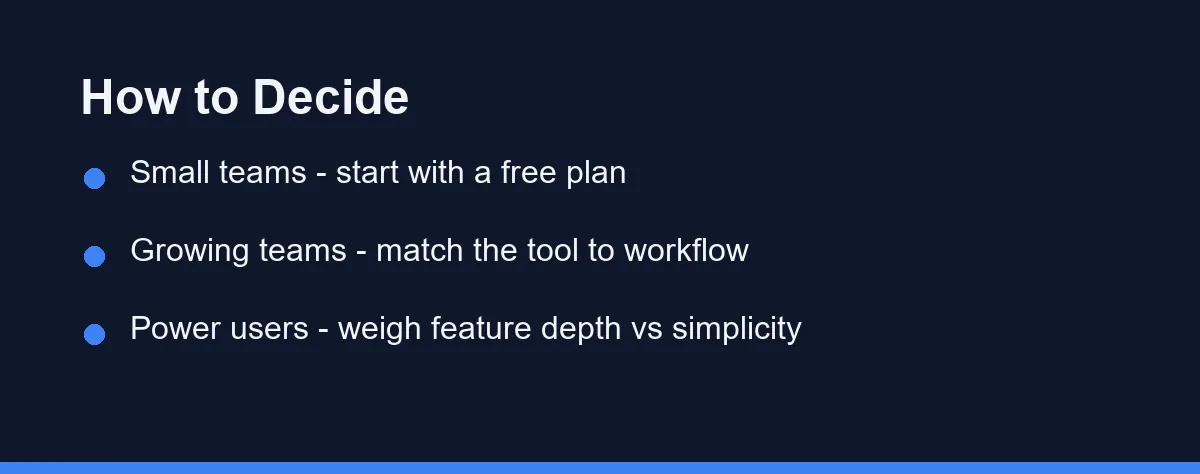
If your team values a clean, structured workspace, Asana is the comfortable choice. It keeps work organized without extra noise.
If your team thinks visually and wants flexible, colorful boards, Monday will feel natural. Its layout makes status easy to read at a glance.
If you want one platform to replace several tools, ClickUp offers the most depth. Just plan for a longer setup and learning period.
When comparing platforms, it helps to apply the same lens you would use for other software decisions. Our breakdown of Mailchimp vs Constant Contact shows how matching a tool to your workflow beats chasing the longest feature list.
The Tool Your Team Opens Daily
Asana, Monday, and ClickUp solve the same problem from three angles. Asana brings structure, Monday brings visual flexibility, and ClickUp brings feature depth at the lowest entry price.
Use the verdicts above as a shortcut, then confirm with a real trial. Move a live project into your top two and give each a full week with your team.
There is no single winner for every team in 2026. The right choice is the one your team opens without being asked, day after day, without friction.
FAQ
Which is the best project management tool in 2026?
It depends on your team. Asana suits structured task management, Monday excels at visual workflows, and ClickUp packs the most features into one platform.
Do Asana, Monday, and ClickUp have free plans?
Yes. All three offer free plans with limits on features, members, or storage, so you can evaluate each before paying. Confirm current limits on their sites.
Which tool has the most features?
ClickUp generally offers the widest feature set, while Monday and Asana focus on a cleaner, more focused experience. The right pick depends on your priorities.
How much do Asana, Monday, and ClickUp cost?
Paid plans commonly run from about $7 to $30 per user each month, depending on the tool and tier. ClickUp tends to be the cheapest at entry, while Asana's higher tiers cost the most. These figures are approximate and change often, so confirm current pricing on each official site at the time you buy.
Which tool is best for a small team on a budget?
For most small teams, ClickUp offers the strongest free plan, covering real tasks, docs, and multiple views at no cost. Asana and Monday also have free tiers, but they limit seats or features sooner. Confirm current limits on each official site.
Sources
- monday.com pricing and plans — checked 2026-10-01
- ClickUp Pricing and Plans — checked 2026-10-01
- Asana Pricing — checked 2026-10-01
Some links may be affiliate links. We may earn a commission at no extra cost to you.
How this article was made: it was drafted with AI assistance from the official sources listed above, and its figures were checked against those pages on the dates shown. It is not based on personal hands-on testing.
Comments
Post a Comment