
Nobody Needs a Command Center to Post Three Times a Week
For a team of one to ten people, Buffer is the better buy. Its Essentials plan is $5 per channel per month as of Aug 2026, and its free tier still covers 3 channels with 10 scheduled posts each. Hootsuite starts at $99 a month for Standard, which buys 10 accounts and a monitoring dashboard most small teams never open. Confirm current pricing on the official site before you commit.
That gap between what these tools sell and what small teams use explains a lot of wasted subscriptions. Hootsuite and Buffer sit at opposite ends of it. Hootsuite grew up as a dashboard for watching and managing many conversations at once, while Buffer grew up as a queue that posts things for you.
Both have expanded since, and the middle ground is now crowded. This guide compares them for businesses with one to ten people handling social media, and brings in Later, Sprout Social, Loomly, and Metricool where they change the recommendation.
The question worth answering is not which tool has more features. It is which one matches how often you post and how many people touch the process.
Scheduling as the Whole Job, or a Management Dashboard
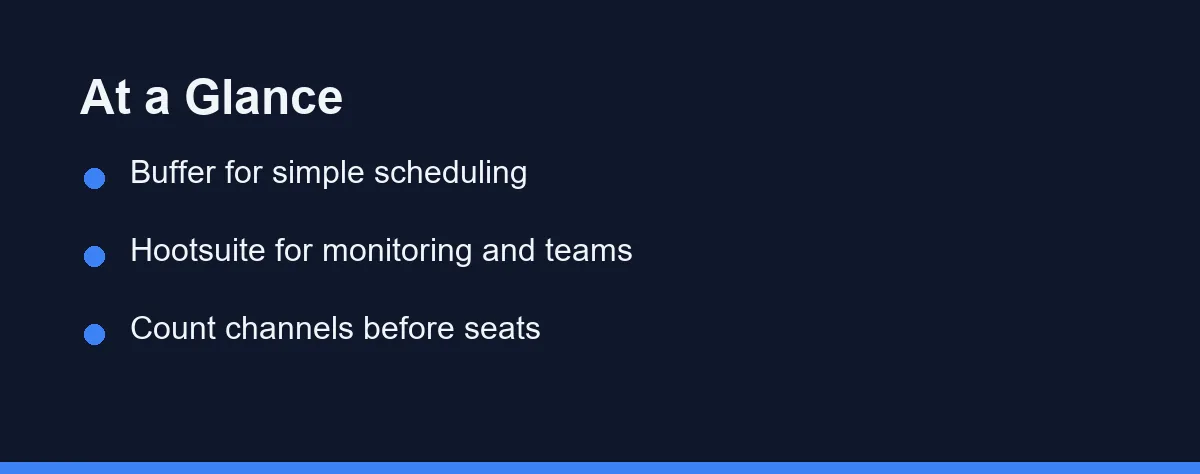
Choose Buffer if scheduling is the job and everything else is a bonus. Its narrow interface is a feature rather than a limitation, and a solo owner can run a month of content without opening a manual.
Choose Hootsuite if you also monitor mentions, manage more than one brand, or need someone to approve posts before publication. Those capabilities justify the heavier dashboard and higher cost.
The dividing line is roughly this. If nobody reviews your posts and you watch comments directly in the native apps, Buffer covers you.
Five Factors, and the First Two Usually Settle It
Five factors decide this more reliably than any feature list. Take them in order, because the first two usually settle the question on their own.
Posting rhythm comes first. A business publishing three times a week has different needs than one publishing daily across five networks. Light rhythms rarely justify a dashboard built for constant activity.
Channel count matters next, and it drives cost more than seats do. Most tools in this category price around connected accounts, so four networks times two brands adds up quickly. Count what you genuinely maintain rather than every account you have ever created.
Then consider who reviews content. A single owner approving their own work needs no workflow at all. An agency posting for clients, or a business in a regulated field, needs a documented approval step and a record of it.
Monitoring is the fourth factor and the most commonly overpaid for. Watching mentions, comments, and keywords across networks is genuine work when volume is high. Below a certain volume, the native apps handle it fine and cost nothing.
Analytics closes the list. Both tools report reach, engagement, and follower growth in a readable format, which covers most small businesses. Deeper audience analysis and listening sit in a different price bracket, and our best social media management tools guide maps that wider field.
How Each Tool Thinks
Buffer and the queue
Buffer organizes everything around a publishing queue. You set posting times per channel, drop content into the slot, and it goes out. That model is unusually easy to teach.
At the time of writing, Buffer has historically kept a free tier covering a small number of channels, with paid plans priced per channel. Analytics and engagement features have moved in and out of separate packaging over the years, so verify what your plan includes.
The limitation is depth. Buffer does not attempt the monitoring dashboard, and its team controls stay light. For a solo marketer or a two-person team, none of that is missed.
Hootsuite and the dashboard
Hootsuite’s defining idea is the stream. Columns of mentions, scheduled posts, and network feeds sit side by side, which suits someone whose job is to watch social channels rather than occasionally feed them.
It layers on bulk scheduling, a unified inbox, analytics, and approval permissions. Hootsuite moved away from free access some years ago and now targets teams and agencies at the time of writing.
The cost is cognitive as much as financial. A dashboard designed for constant monitoring feels heavy when you open it twice a week, and small teams frequently pay for capacity they never touch.
Where Later, Sprout Social, Loomly, and Metricool land
Later leans visual and Instagram-first, with a calendar built for planning how a grid will look. Photographers, restaurants, and retail brands often prefer it for that reason alone.
Sprout Social sits above both headline options on price and delivers correspondingly deeper analytics and listening. Loomly focuses on the content calendar and approval flow, which makes it a credible Hootsuite alternative for agencies. Metricool has built a reputation on affordable analytics with a usable free tier, historically.
Where the Two Tools Diverge in Daily Use

The table below summarizes the practical differences for a small business. Confirm anything decisive on the official sites, since packaging in this category changes frequently.
| Factor | Hootsuite | Buffer |
|---|---|---|
| Core idea | Monitoring dashboard | Publishing queue |
| Learning curve | Steeper | Gentle |
| Free tier | Not offered | Historically available |
| Monitoring streams | Yes, a strength | Minimal |
| Approval workflow | Yes | Limited |
| Analytics | Broad, plan dependent | Solid essentials |
| Best for | Multi-brand teams and agencies | Solo owners and small teams |
Hootsuite wins where social media is somebody’s actual job. Streams, approvals, and multi-brand management are the reasons to pay more.
Buffer wins where social media is one task among many. Its narrower scope means less time in the tool and a smaller monthly cost, and for most small businesses that is the correct trade.
Entry Plans That Shift Faster Than Reviews Do
Plans in this category shift often, so treat everything here as approximate and check before you commit. At the time of writing, entry paid plans for tools of this type tend to land in the rough range of ten to thirty dollars per month for a small set of channels. Team and agency tiers climb substantially higher. Confirm current pricing on the official site for each product.
The structure deserves more attention than the headline number. Buffer has historically priced per connected channel, which stays cheap for a focused business and grows fast if you add networks. Hootsuite has leaned toward seat-and-plan bundles aimed at teams.
Annual billing usually carries a discount on both, but it also locks you in before you know whether the tool fits your rhythm. Run a month on a monthly plan first.
One more calculation is worth doing. Multiply the monthly cost by twelve, then weigh it against the hours the tool saves you. A scheduler that returns two hours a week pays for itself easily, while a monitoring dashboard nobody opens never does.
Analytics, Approvals, and Team Size

This is where the two products separate most clearly, and where small businesses most often choose wrongly.
Approval workflows sound like professional practice and become bureaucracy at small scale. If one person writes and publishes, a review step adds delay and nothing else. The moment a client or a compliance requirement enters the picture, the calculation inverts completely.
Analytics deserve a similar honesty check. Both tools export presentable reports, which matters if you send monthly updates to a client or a manager. If nobody reads them, the native platform insights already cover what you need for free.
Team size drives the rest. Below three people, coordination happens in conversation rather than software. Above that, shared calendars, roles, and permissions start earning their cost, and Hootsuite or Loomly become reasonable.
Social activity also feeds the rest of your funnel. If inbound messages turn into leads, the handoff to your sales process matters more than post scheduling, and our CRM for small business guide covers that step.
Verdicts by Use Case
The table shows the trade-offs. Here is the direct call for the situations that bring people to this comparison.
The solo owner posting a few times a week: Choose Buffer. Scheduling is the entire job, and a lighter interface means you will actually keep the habit. Start on the free or lowest paid tier and only upgrade when channel count forces it.
The agency managing several client accounts: Choose Hootsuite. Multi-brand organization, approval permissions, and a shared inbox are exactly the pressures agencies face, and Loomly is the alternative worth trialing alongside it.
The visual brand living on Instagram: Choose Later instead of either. A grid preview and a planning calendar built around images solve a real problem for restaurants, retailers, and photographers that generic schedulers treat as an afterthought.
The business that mostly needs reporting: Choose Metricool or Sprout Social depending on budget. Metricool has historically delivered strong analytics affordably, while Sprout Social suits teams that need listening and deeper audience data and can fund it.
The team that cannot decide: Trial both with one real content week, not sample posts. Schedule your actual next seven days in each, and whichever tool you finish faster is the correct answer for your rhythm.
Common Mistakes to Avoid
Small businesses waste money in this category in fairly consistent ways. Each mistake is easy to avoid once you see it named.
Do not pay for monitoring you will not do. Streams full of mentions help only if someone reads them daily, and otherwise they are an expensive tab you never open.
Do not connect every network you own. Per-channel pricing punishes dormant accounts, so disconnect the ones you have not posted to in six months.
Do not buy on a feature demo. Scheduling a real week of your own content reveals more in twenty minutes than any comparison of capability lists.
Do not commit annually before month two. The discount is real, and so is the risk of locking into a rhythm that turns out to be wrong for your business.
Do not treat the tool as the strategy. Consistent posting and content people want beat any scheduler, and no dashboard rescues a plan nobody follows.
Competing for the Same Customer, Answering Different Questions
Hootsuite and Buffer answer different questions despite competing for the same customers. Hootsuite is a management dashboard for people whose work is social media, while Buffer is a scheduler for people who have social media on their task list.
For most businesses with one to ten people, Buffer is the sensible starting point. Move to Hootsuite when approvals, multiple brands, or real monitoring volume appear, and look at Later, Loomly, or Metricool when your needs are visual, agency-shaped, or analytics-led.
Whichever you choose, keep the subscription honest. Review the connected channels and the plan tier twice a year, and drop anything you have stopped using.
The best outcome here is a tool you barely think about. If scheduling next week takes fifteen minutes and you spend the rest of your attention on the content itself, the choice worked. That twice-yearly review is also the moment to check who still holds a login, since a scheduler carries keys to every brand account you own. Teams that find the cleanup painful are usually the ones being quoted an enterprise tier to fix it, and we weigh whether SSO justifies that jump.
FAQ
Is Hootsuite or Buffer better for a small business?
Buffer suits solo owners and small teams that mainly need reliable scheduling across a few channels. Hootsuite suits teams that also monitor conversations, manage several brands, or need approval steps before posts go out.
What is the main difference between Hootsuite and Buffer?
Buffer is built around a publishing queue and keeps the interface deliberately narrow. Hootsuite adds monitoring streams, a unified inbox, and heavier team controls. One optimizes for speed, the other for coverage.
Does either tool have a free plan?
Buffer has historically offered a free tier for a limited number of channels, while Hootsuite has moved away from free access. Both price around channels and seats. Confirm current plans on each official site before budgeting.
Can these tools replace native platform analytics?
Partly. Both pull follower growth, reach, and engagement into readable reports, which covers most small-business needs. Deep audience analysis and social listening belong to pricier tools such as Sprout Social.
Do I need approval workflows in a social media tool?
Only if approvals are a real bottleneck for you. Agencies and regulated businesses benefit from structured review steps, and Hootsuite or Loomly handle that well. A solo owner posting three times a week gains nothing from the extra process.
Sources
- Pricing | Buffer — checked 2026-10-01
- Hootsuite Plans, Prices, and Features — checked 2026-10-01
Some links may be affiliate links. We may earn a commission at no extra cost to you.
How this article was made: it was drafted with AI assistance from the official sources listed above, and its figures were checked against those pages on the dates shown. It is not based on personal hands-on testing.
Comments
Post a Comment