
The Renewal That Doubled Without Anyone Deciding
Choose per-user pricing while everyone on a small team uses the tool weekly, and flat-rate once light users pile up. If your next hires are occasional users, such as reviewers or part-time staff, a flat rate usually wins sooner. If every new person works in the tool daily, seats stay the honest price.
Nobody approves a software budget increase. It arrives as five separate renewals, each a little larger than last year, because the team grew by four people.
That is the quiet arithmetic of per-seat software. The product did not change, the price per seat did not change, and the invoice still climbed by half.
The difference between per-user and flat-rate pricing is simply what the vendor counts. One counts people, the other counts your company as a single unit. Everything else in this comparison follows from that one choice.
The Short Version
The crossover usually sits between eight and fifteen people for general collaboration tools. Below that, seats are honest. Above it, you start paying full price for people who log in twice a month.
The decision is rarely permanent. What matters is knowing which side of the crossover you are on today, and how far the next two hires push you.
Two Ways Vendors Meter the Same Product
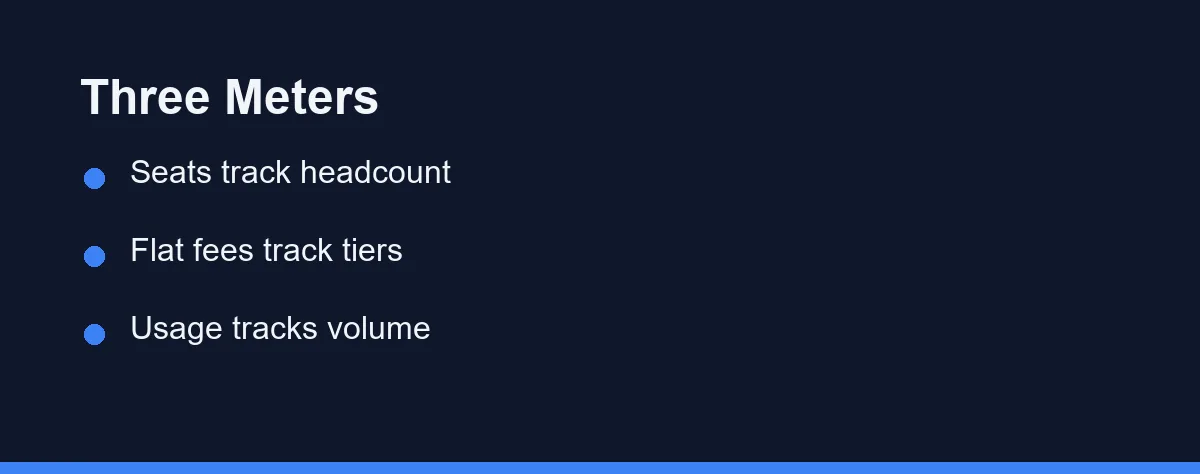
Software vendors have three meters available, and most business tools use one of them consistently.
Per-seat billing charges for each activated account. Slack, Asana, Monday.com, and most CRM platforms work this way, and the seat is usually defined as anyone who can log in rather than anyone who does.
Flat-rate billing charges one fee for the organization. Basecamp built its business on this model, and as of October 2026 its Pro plan costs $99 a month with unlimited users. Accounting platforms such as QuickBooks and Xero bill per company file rather than per bookkeeper.
Usage-based billing counts something else entirely. Email platforms meter contacts or sends, payment processors take a cut of volume, and storage tools charge by the gigabyte.
Knowing which meter a product uses tells you what will make the bill grow. That is more useful than the headline number, because the headline number is the one thing that will not change.
Where the Crossover Actually Happens

Divide the annual cost by the number of people who genuinely use the tool each week. That single figure, cost per active user, ends most of these debates faster than any feature comparison.
| Billing model | What makes the bill grow | Cheapest when | Gets expensive when | Common examples |
|---|---|---|---|---|
| Per seat | Headcount and role changes | Everyone uses it weekly | Light users need access | Slack, Asana, Monday.com, most CRMs |
| Flat rate per company | Moving up a feature tier | Many occasional users | A small team buys a large tier | Basecamp, QuickBooks, Xero |
| Usage based | Contacts, sends, or volume | Audience or volume is small | Growth outruns the plan ceiling | Mailchimp, Brevo, Stripe |
| Per seat with viewer roles | Paid editors only | Reviewers outnumber editors | Every reviewer needs edit rights | Many project and design tools |
| Tiered flat with user caps | Crossing the cap by one person | You sit mid-tier | You sit one seat over a cap | Several help desk platforms |
Read the last row carefully, because it causes the ugliest surprises. A plan capped at ten users costs the same for six people and for ten, then jumps sharply for the eleventh.
Vendors change packaging often, so confirm current pricing on the official site of any platform you shortlist, at the time of writing. Treat any comparison table, including this one, as a map of the models rather than the prices.
Basecamp Against ClickUp at 3 and 12 People
Two real price lists show where the crossover lands. As of October 2026, Basecamp Pro costs $99 a month for unlimited users with no per-user fees. ClickUp Unlimited charges $10 per user per month billed monthly, or $7 billed yearly.
| Team size | ClickUp at $10, monthly | ClickUp at $7, yearly | Basecamp Pro at $99 |
|---|---|---|---|
| 3 people | 3 × $10 × 12 = $360 | 3 × $7 × 12 = $252 | $99 × 12 = $1,188 |
| 12 people | 12 × $10 × 12 = $1,440 | 12 × $7 × 12 = $1,008 | $99 × 12 = $1,188 |
The 3-person team pays more than three times as much on the flat plan. Basecamp’s own Studio plan at $59 a month narrows that gap, but it caps you at 10 active projects.
The crossover is plain division. $99 ÷ $10 = 9.9, so ClickUp’s monthly price passes Basecamp at the 10th user. At the $7 yearly rate, $99 ÷ $7 = 14.1, so the flip comes at the 15th user.
These sums assume every person needs a paid seat and that prices hold for 12 months. ClickUp’s Unlimited plan includes 2 guest seats for each additional paid user, so occasional outside reviewers may not cost a seat. Basecamp is priced here on its monthly rate, and the two tools differ in features, so treat this as a pricing illustration rather than a product pick.
The example shows that the seat count you expect at renewal, more than either headline price, decides which model costs less.
Running the Numbers Without the Vendor’s Calculator
Vendor calculators are built to show their own model favorably. Doing the arithmetic yourself takes five minutes and answers a different question: what will this cost at the size I expect to be.
Start by splitting your team into three groups. Count the people who will work in the tool daily, the people who need it weekly, and the people who only need to read or approve something occasionally.
Then price three scenarios rather than one. Price today’s headcount, price the headcount you expect in twelve months, and price the moment you cross the next tier boundary or user cap.
Finally, multiply the per-seat option by twelve and compare it against the annual flat fee at the tier you would actually need. Feature gating usually pushes you one tier above the cheapest plan, so price the tier that includes what you use rather than the entry plan.
The result is often uncomfortable in a useful way. Teams discover that the occasional group is larger than they thought, and that group is exactly what decides the winner between these two models.
Keep the working somewhere you will find it again. Renewal conversations go better when you can say what the tool costs per active user and how that figure moved since last year.
The Switching Cost Nobody Prices In
Changing billing models usually means changing products, and that cost lands outside the software budget.
Data export quality varies enormously. Some platforms hand over a clean archive of everything, and others export the records while leaving comments, attachments, and history behind.
Retraining costs real hours. A team of ten losing two hours each to a migration is a meaningful expense, and it repeats if you move again a year later.
Integrations break in ways that surface weeks afterwards. The automation nobody remembers building is the one that quietly stops, so list your connected tools before you commit to a move.
None of this argues for staying on a bad deal. It argues for switching once, deliberately, at a renewal boundary rather than mid-contract.
The Costs That Do Not Appear on the Pricing Page
Three costs sit outside the published rate and routinely decide which model is cheaper in practice.
Seat sprawl is the first. Accounts outlive the people who opened them, and an unused seat is invisible on an invoice because it looks exactly like a working one. Our guide to auditing SaaS subscriptions and cutting wasted seats covers the recovery process.
Access friction is the second, and it is harder to see. When every seat costs money, teams share logins or exclude people who should be included, and the tool stops reflecting how work actually happens.
Minimum commitments are the third. Annual contracts frequently allow adding seats mid-term but not removing them, which turns a hiring plan into a floor you cannot come down from.
What Flat Rate Quietly Limits
Flat-rate pricing sounds like unlimited freedom, and it usually is not. The limits move somewhere else.
Per-seat plans raise a related question about who actually needs a seat. Contractors, clients, and reviewers often do not, and we sort out which is which in do contractors and clients need paid SaaS seats.
Feature gating is the usual trade. A flat plan often includes generous user counts while holding back permissions, audit logs, or the integrations you will want in year two.
Storage and record ceilings are the second constraint. Accounting and CRM tools bill per company, then cap contacts, invoices, or transaction volume, so growth still costs money through a different door.
Support tiers are the third. Flat plans sometimes route you to community support while per-seat enterprise tiers get a named contact, which matters more than it sounds when payroll is stuck.
None of this makes flat rate a worse deal. It means the comparison has to run on total annual cost at your expected size, not on the shape of the pricing model.
Which Pricing Model Fits Your Team
The solo operator or two-person business: Take per-seat pricing and ignore the flat-rate tiers. You will pay for exactly what you use, and flat plans at this size are priced for teams four times larger.
The five to eight person team where everyone works in the tool daily: Per seat still wins. Cost per active user is honest here, and you keep the option to leave without stranding an annual commitment.
The team with a core of six and a dozen occasional reviewers: Flat rate, or a per-seat product with genuine free viewer roles. This is the exact shape where per-seat billing punishes you for including people.
The company hiring quickly through the next year: Price both models at your projected headcount, not today’s. Then ask whether the contract lets you reduce seats at renewal, because that answer is worth more than a discount.
The business running one tool per function: Watch the aggregate rather than each invoice. Five per-seat tools at modest rates outgrow one flat platform quickly, which is part of the all-in-one suite versus best-of-breed trade-off.
Four Questions That Settle It Before You Sign
Ask how the vendor defines a seat. Some count anyone with login access, others count only users who take an action, and the gap between those definitions can be a third of your bill.
Ask what happens to a deactivated user’s data. Records owned by a departed colleague sometimes become inaccessible when the seat is released, which is a migration problem disguised as a billing question.
Ask about mid-term reductions in writing. Adding seats is always easy, and the willingness to remove them at renewal is the clearest signal of how a vendor treats small customers.
Ask which limits apply on top of the headline model. A flat plan with a record ceiling and a per-seat plan with unlimited records are not the same product at the same price.
Do the Arithmetic Once a Year
Set a recurring reminder a month before each renewal. That is enough time to audit seats, compare the current tier against your real usage, and negotiate without a deadline pressing on you.
Recalculate cost per active user at the same time. A number that has drifted upward two years running usually means the model stopped fitting your team, rather than that the vendor raised prices.
Then decide deliberately. Software billing rarely fails loudly, and the cost of leaving it alone is a budget line that grows every year without anyone choosing it.
If you are weighing your first tools rather than renewing old ones, our CRM picks for freelancers show how the same product can carry both a seat price and a flat option.
Leave tracking shows the same split in miniature, priced per employee at one end and flat at the other, as time off tracking in a spreadsheet or HR software sets out.
Developer tools are pricing the same tension a different way. Instead of per-user against flat-rate, they now ask you to choose between a seat and a meter, which we compare in per-seat vs usage-based pricing for AI coding tools.
Slack softens per-user pricing with a fair billing rule that stops charging for members inactive over 28 days. We work through what that means for a small team in when the Slack Free plan stops being enough.
Our SaaS pricing calculator finds the exact team size where a flat price starts to beat a per-user one.
FAQ
What is the difference between per-user and flat-rate SaaS pricing?
Per-user pricing charges for every seat you activate, so the bill tracks headcount. Flat-rate pricing charges one fee for the whole company at a given tier, so adding a colleague costs nothing until you outgrow the tier. The difference between per-user and flat-rate pricing only matters once your team stops being three people.
Is flat-rate software always cheaper than per-seat pricing?
Not automatically. Flat-rate wins when many people need light access, and it loses when a small team pays for a tier built for forty people. Work out the cost per active user under both models before you decide, because that single number settles most of these arguments.
What is seat sprawl and why does it cost so much?
Seat sprawl is what happens when nobody removes accounts after people leave or change roles. It is the most common source of waste in per-user tools, and it compounds quietly because an unused seat looks identical to a used one on the invoice.
What should I ask a vendor before signing a per-seat contract?
Ask about the seat definition, the minimum commitment, the mid-term downgrade policy, and what happens to data belonging to a deactivated user. Those four answers tell you more about your real annual cost than the headline price does.
How much does business software cost per user?
Vendors publish tiers that change often, and promotional annual rates are common in this category. Confirm current pricing on the official site of any platform you shortlist, at the time of writing, and price both the monthly and annual commitment before you compare two products.
Sources
- Basecamp: Pricing — checked 2026-10-03
- ClickUp: Pricing — checked 2026-10-03
Some links may be affiliate links. We may earn a commission at no extra cost to you.
How this article was made: it was drafted with AI assistance from the official sources listed above, and its figures were checked against those pages on the dates shown. It is not based on personal hands-on testing.
Comments
Post a Comment