Most Businesses Inherit a Suite Rather Than Choose One
Most small businesses never really choose an office suite. They inherit one, usually from whichever email address the founder set up on day one. That small accident then shapes years of file formats, meeting habits, and client handoffs.
Google Workspace and Microsoft 365 both bundle email, storage, documents, and video calls into a single per-user bill. On a feature checklist they look nearly interchangeable. The differences surface later, in offline work, spreadsheet depth, and the files your clients keep sending you.
This guide compares the two suites for teams of roughly two to fifty people. It walks through plan tiers, collaboration style, admin tooling, and the switching costs that rarely reach a budget spreadsheet. The goal is a decision that still holds up in year three.
Browser-Native Collaboration or Desktop-Grade Documents

Choose Google Workspace if your team works in a browser and collaboration matters more than document polish. Gmail, Google Docs, and Google Drive give the smoother multi-person editing experience, and initial setup rarely eats more than an afternoon.
Choose Microsoft 365 if your work leans on Excel, on precise Word formatting, or on clients who trade .docx and .xlsx files daily. Desktop Excel still outruns Google Sheets for pivot tables, macros, and large financial models.
Teams already running Microsoft Teams for chat can fold that cost into Microsoft 365 and retire a separate subscription. A brand-new business with no legacy files usually gets moving faster on Google Workspace.
File Gravity and Three Other Deciders
File gravity. Scan the last fifty attachments your team sent and received. If most are Word and Excel documents from outside parties, Microsoft 365 removes a conversion step from every exchange. If almost everything travels as a shared link, that pull vanishes.
Mail and calendar habits. Gmail’s search-and-label model suits people who keep one enormous archive. Outlook’s folders, rules, and shared mailboxes suit people who file everything and manage delegated inboxes. Neither approach is better, but a switch irritates whoever loses their system.
Storage and how it pools. Both suites attach cloud storage to each seat, through Google Drive on one side and OneDrive plus SharePoint on the other. Google lists 30 GB of pooled storage per person on Business Starter and 2 TB per user on Business Standard. Allowances change over time, so verify the current terms before promising a video team unlimited room.
Meetings and chat. Google Meet and Microsoft Teams both arrive bundled, yet they play different roles. Meet stays a lightweight video tool, while Teams tries to be chat, meetings, and a file hub at once. Our Zoom vs Google Meet comparison digs into the video side.
Admin and device control. A five-person shop needs almost nothing here. A twenty-person team with laptops in three cities starts caring about device policies, retention, and account recovery surprisingly fast.
How the Two Suites Differ in Practice
Where Google Workspace Pulls Ahead
Real-time collaboration is the clearest win. Several people edit the same Google Doc or Google Sheet without version conflicts, and comment threads keep the discussion beside the text. Microsoft has narrowed this gap in the web versions of Word and Excel, though the desktop path still feels heavier.
Administration is the second advantage. The Google Admin console keeps user creation, group management, and sharing controls on a small number of screens. Small teams without a dedicated IT person tend to find it approachable.
Search is the quiet third one. Gmail and Google Drive reward people who never file anything, which describes a large share of small business owners.
Where Microsoft 365 Pulls Ahead
Excel is the anchor. Financial models, large data sets, pivot tables, Power Query, and VBA macros all behave predictably in desktop Excel and often stumble in Google Sheets. Any team with an accountant or an analyst should weigh this heavily.
Desktop applications matter more than they sound. Word, Excel, PowerPoint, and Outlook run locally, work offline without preparation, and hold formatting exactly when a document goes to print or to a client.
Teams changes the arithmetic for chat-heavy companies. Bundling chat, meetings, and file storage into one subscription can retire a standalone tool, a trade we unpack in Slack vs Microsoft Teams.
The Overlap Nobody Mentions
Both suites cover the same ground for perhaps eighty percent of ordinary work. Writing a memo, scheduling a call, sharing a folder, and joining a video meeting feel similar either way. Arguments about which suite is better happen almost entirely inside the remaining twenty percent.
That remainder is specific to your business. Name it before you read a single marketing page.
The Plans Small Businesses Actually Shortlist
The table below maps the plans small businesses actually shortlist. Contents shift between renewals, so treat it as orientation rather than a contract.
| Plan | Suite | What the tier delivers | Best suited to |
|---|---|---|---|
| Business Starter | Google Workspace | Gmail on your domain, Google Drive, Meet, entry storage tier | Solo founders and very small teams |
| Business Standard | Google Workspace | More storage per seat, recorded Meet calls, shared drives | The default pick for most small teams |
| Business Plus | Google Workspace | Larger storage, Vault retention, stronger admin controls | Teams with retention or eDiscovery duties |
| Business Basic | Microsoft 365 | Outlook, OneDrive, Teams, web versions of Word and Excel | Budget teams that mainly need Teams and mail |
| Business Standard | Microsoft 365 | Desktop Word, Excel, PowerPoint, and Outlook | Document- and spreadsheet-heavy work |
| Business Premium | Microsoft 365 | Adds device management and advanced security tooling | Regulated firms or managed company laptops |
Read that table by the row matching your work, not by the suite. A design studio weighing Business Starter against Microsoft 365 Business Basic is having a different argument than an accounting firm weighing Business Plus against Business Premium.
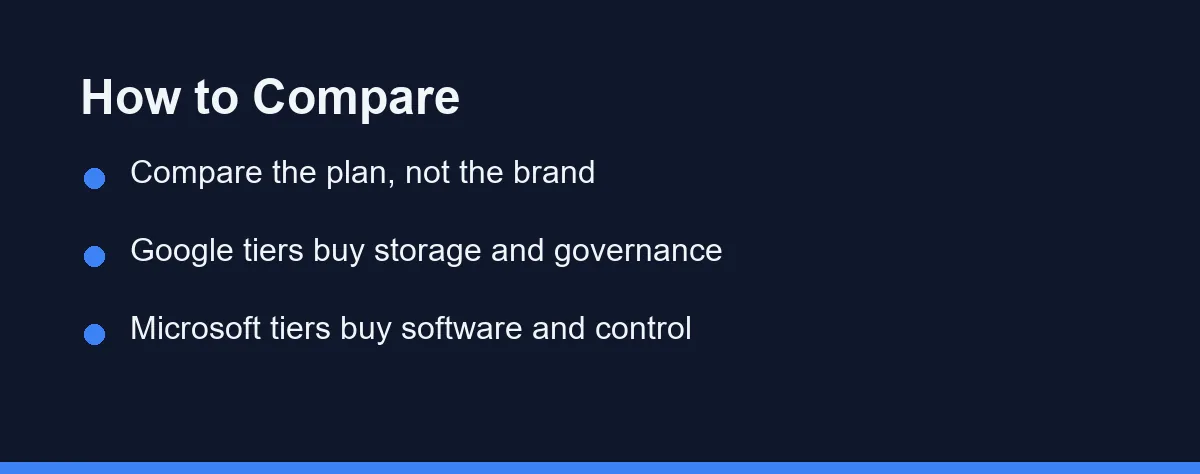
One pattern repeats down the rows. Google’s tiers mostly buy storage and governance, while Microsoft’s tiers mostly buy software and device control. Knowing which of those two you actually need collapses the shortlist quickly.
Per User, Per Month, With an Annual Discount
Both suites bill per user per month, with a discount for an annual commitment. Google lists Business Starter at $7 per user per month and Business Standard at $14, as of October 2026, with a new-customer discount for the first year. Check Microsoft’s own page for current Business Basic and Business Standard rates before budgeting, since both vendors adjust rates and repackage tiers regularly.
The sticker price is rarely the real number. Multiply by headcount, then by twelve, then add whatever you keep paying on the side. A team on Microsoft 365 Business Standard that also funds Zoom and Dropbox has quietly built a pricier stack than the plan page suggests.
Watch the commitment term as well. Both vendors discount yearly billing, and both make mid-term seat reductions awkward. Growing teams often prefer monthly billing through the first year, then lock in once headcount settles.
An 8-Person Team’s Bill in Year One and Year Two
Here is how Google’s published rates play out for a team of eight. As of October 2026, Google lists Business Starter at $7 and Business Standard at $14 per user per month on a 1-year commitment.
New customers get 10% off for 12 months on their first 20 users, which brings those rates to $6.30 and $12.60. Storage is pooled across the organization, at 30 GB per user on Starter and 2 TB per user on Standard.
| 8 users | Year 1 with the intro discount | Year 2 at list price | Pooled storage |
|---|---|---|---|
| Business Starter | 8 × $6.30 × 12 = $604.80 | 8 × $7 × 12 = $672 | 8 × 30 GB = 240 GB |
| Business Standard | 8 × $12.60 × 12 = $1,209.60 | 8 × $14 × 12 = $1,344 | 8 × 2 TB = 16 TB |
Standard costs $672 more per year at list price, and much of what that buys is room. A team holding 1 TB of video or design files would outgrow Starter’s 240 GB pool on day one, while a team trading documents and email may never notice.
These sums assume all 8 people sit on the same plan, prices hold at today’s rates, and the team commits for a year. Google says the 1-year commitment saves 16%, so flexible monthly billing costs more than the figures above. Microsoft 365 rates were not confirmed for this update, so run the same 8-seat sum on Microsoft’s own pricing page before comparing.
The example shows that inside Google Workspace the tier choice is largely a storage decision, so measure your files before paying for Standard.
Migration and Lock-In
Leaving either suite costs more than joining it. Mail, calendars, and files can move, and both vendors publish migration tooling, but the edges swallow the time.
Shared calendars, distribution groups, permission structures, and anything built on Google Apps Script or Excel macros rarely survive a move untouched. Budget a weekend and someone patient.
Domain email is the deepest hook of all. Once every client, invoice, and password reset points at an address hosted by one vendor, changing suites means replumbing the whole business. That is the real reason the first choice deserves two weeks of thought.
Verdicts by Use Case

The two- to five-person startup with no history: Google Workspace Business Starter. Setup is faster, the admin console stays friendly without an IT person, and browser-based collaboration suits a small group working in parallel on the same few documents.
The accounting, bookkeeping, or finance-adjacent firm: Microsoft 365 Business Standard. Desktop Excel is the actual product you are buying here, and client files will arrive in Microsoft formats regardless of what you prefer.
The team already paying for Microsoft Teams: Microsoft 365 Business Basic or Standard. Folding chat, meetings, mail, and storage into one bill usually beats the sum of separate subscriptions, and you drop a vendor relationship in the process.
The distributed team with company-owned laptops: Microsoft 365 Business Premium. Device management and the security tooling at that tier answer questions a growing remote team will eventually face, and retrofitting them later is painful.
The agency or creative shop that shares links rather than attachments: Google Workspace Business Standard. Shared drives and comment-driven review match how the work already moves, and clients open a Google Doc link without installing anything.
Common Mistakes to Avoid
Do not decide on price alone. A few dollars per seat each month is noise beside a week of lost productivity from a poor format fit.
Do not skip a trial with real files. Open your ugliest spreadsheet and your most heavily formatted proposal in both suites before you commit anyone.
Do not forget the tools you plan to keep. If Zoom and Dropbox stay regardless, the bundled Meet and Drive allowances are worth less than the marketing implies. Our roundup of the best video conferencing software helps size that piece on its own.
Do not buy the top tier defensively. Most small teams never touch retention policies or device management, and upgrading later takes minutes.
Neither Will Hold You Back. File Formats Might
Google Workspace and Microsoft 365 are both complete, mature suites, and neither will hold a small business back. The choice comes down to file formats, spreadsheet depth, and where your team already spends its day.
Browser-first teams that value live collaboration should start with Google Workspace. Document-heavy teams, Excel-dependent firms, and anyone already standardized on Teams should start with Microsoft 365.
Run a two-week trial using genuine work rather than sample documents. The suite your least technical colleague navigates without asking for help is usually the right answer, whatever the comparison chart says.
The same trial logic applies to payroll, where switching later is far more painful. Gusto vs ADP sets out what to test before you migrate.
If Microsoft 365 wins, the next decision is which tier each person gets, and it rarely needs to be the same for everyone. Business Basic vs Business Standard sorts out who actually needs desktop Office and who can work entirely in the browser.
If Google Workspace wins, the tier question works differently, because Google puts every user on the same Business edition. Business Starter vs Business Standard shows the team size where separate e-sign and booking tools cost less than upgrading everyone.
Before you pick either suite, check whether your team needs a suite at all. If most of the day is email and calendar, Zoho Mail vs Google Workspace shows what a $3 Zoho Workplace seat covers and what it gives up.
FAQ
Is Google Workspace or Microsoft 365 better for a small business?
Neither wins outright. Google Workspace suits browser-first teams that collaborate live, while Microsoft 365 suits teams that lean on desktop Excel and Word. Your existing file formats usually settle the argument.
Can I use Word and Excel files with Google Workspace?
Yes. Google Docs and Google Sheets open and export Word and Excel files, and Google Drive stores them directly. Heavy formatting, macros, and large financial models can still shift during conversion.
Which suite is cheaper for a small team?
Entry tiers on both sides land in a similar per-user range, so headcount and tier matter more than the brand name. Always confirm current pricing on each official site before you budget.
Do I need Microsoft 365 if my team already uses Microsoft Teams?
Not strictly, but bundling usually costs less than a standalone Teams plan plus a separate mail and storage vendor. Add up what you already pay across every tool before you decide.
How hard is it to switch suites later?
Mail and files migrate with vendor tooling, but shared calendars, groups, permissions, and macros need manual rework. Plan for a slow weekend rather than a quick afternoon.
Sources
- Google Workspace: Pricing — checked 2026-10-03
Some links may be affiliate links. We may earn a commission at no extra cost to you.
How this article was made: it was drafted with AI assistance from the official sources listed above, and its figures were checked against those pages on the dates shown. It is not based on personal hands-on testing.
Comments
Post a Comment