The Hallway You No Longer Have
Remote work removes the hallway. There is no desk to lean over and no quick nod to confirm a task is moving. When a team spans time zones, that missing context turns into stalled work and repeated status pings.
Project management software fills the gap the office used to hold. It makes ownership visible, keeps due dates in the open, and records decisions where anyone can find them later.
For most remote teams, the best tool is the one that makes task ownership and status obvious without a meeting. Async clarity, not feature depth, decides whether distributed work flows or stalls.
If your team is heavily async across time zones, prioritize clear activity feeds, comments on tasks, and strong notifications. If you overlap most of the day, a lighter board may be enough. Start with the simplest tool that shows your real workflow.
This guide compares the options as of mid-2026 and weighs async clarity, flexible views, automation, and mobile use. For a wider view across team sizes, see our best project management software guide as a companion.
What Breaks First When Nobody Shares an Office

Distributed teams have needs a colocated office never feels. The criteria below decide whether a tool becomes a shared source of truth or another ignored tab. Judge each option against them directly.
Clear Ownership and Status
Every task needs one visible owner and an obvious state. Remote teammates cannot ask across a desk, so the tool must answer who and when at a glance. Ambiguous ownership is where async work quietly breaks.
Async Communication on the Work
Comments, mentions, and activity history should live on the task itself. That keeps context beside the work instead of scattered across chat. A strong feed replaces the standup for teams spread across many hours.
Views That Fit Your Workflow
Teams think in different shapes, whether boards, lists, timelines, or calendars. The right tool offers the views your work naturally takes. Forcing a timeline team onto a plain board adds friction every day.
Notifications and Mobile That Respect Time Zones
Remote teammates work at different hours, so alerts must be useful, not noisy. Look for granular notifications and a mobile app that lets someone act from anywhere. A tool that spams everyone trains the team to ignore it.
Four Routes Distributed Teams Take
The routes below cover how remote teams typically solve this as of mid-2026. Plan details change often, so verify features and tiers on each official site before you commit.
Flexible Work Platforms
Broad platforms such as Asana, monday.com, and ClickUp handle lists, boards, timelines, and automation in one place. Their strength is adapting to almost any workflow and scaling with the team. The trade-off is that all that flexibility takes real setup and can overwhelm a small group.
They fit growing remote teams that want one system for varied projects.
Lightweight Boards
Simple board tools like Trello center on visual cards moving through columns. The appeal is a workflow anyone grasps in minutes and a generous free start. The limit is depth, since complex projects and reporting outgrow a plain board.
These suit small, mostly overlapping remote teams with straightforward work.
Docs-First Workspaces
Workspace tools such as Notion blend documents, wikis, and task databases in one hub. The draw is keeping knowledge and tasks together, which helps async teams onboard and decide. The catch is that project features can feel lighter than a dedicated tool.
They fit remote teams that value written context as much as task tracking.
All-in-One Team Suites
Some products bundle tasks, messaging, and file storage into a single remote workspace. The benefit is fewer tools and logins for a distributed team. The compromise is that any one module may trail a specialist tool in depth.
These fit teams that prize consolidation over best-in-class features in each area.
Async Clarity Compared

The table compares the routes on what drives remote results. Weigh it against how async and how large your team really is.
| Option | Async Clarity | Views | Free Tier | Best For |
|---|---|---|---|---|
| Flexible work platform | Strong | Many | Yes, limited | Growing multi-project teams |
| Lightweight board | Good | Board-first | Yes, generous | Small, overlapping teams |
| Docs-first workspace | Strong | Docs plus tasks | Yes | Context-heavy async teams |
| All-in-one team suite | Varies | Varies | Sometimes | Teams wanting fewer tools |
No route wins every column, and the differences track your working style. Heavily async teams feel a strong activity feed immediately, while overlapping teams may thrive on a simple board.
The honest pattern is that adoption beats power. The tool your remote team opens every morning outperforms the richer one that sits unused.
Notifications, Time Zones, and the Standup Question
Two problems decide whether a distributed rollout sticks, and neither appears on a feature grid. The first is notification volume, and the second is what the tool lets you stop doing.
Treat notification tuning as part of the rollout rather than an afterthought. Asana, ClickUp, and monday.com all let each person choose which events reach them and whether updates arrive live or as a batched digest. A teammate eight hours ahead should be able to read one summary instead of forty separate pings.
Route alerts into your chat tool only for projects that genuinely need same-day attention. Then agree as a team that a comment is not an emergency, because no amount of configuration fixes an expectation problem.
The payoff is the meeting you can drop. When every task carries an owner, a due date, and a recent comment, the board answers what moved yesterday and what is blocked today. That is most of a standup.
What a tool cannot replace is the unblocking conversation, so many distributed teams keep one short weekly call and retire the daily one. Run status through the tool for two weeks before deciding whether the meeting still earns its slot.
Rolling It Out and What It Costs Per Seat
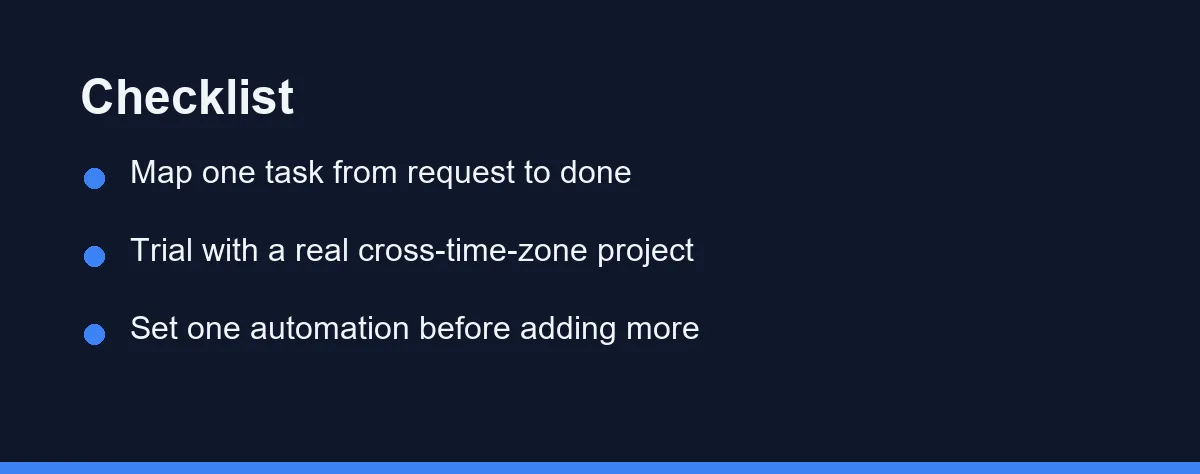
Map one task from request to done first. Write how work actually moves, who hands off to whom, and where it usually stalls. That flow tells you which views and features you truly need.
Then count how async your team is. A team spread across many time zones needs strong comments, history, and notifications. A team that overlaps most of the day can lean on a lighter tool with less structure.
Trial the shortlist with one real cross-time-zone project, not a demo board. Import a live workload, invite the team, and watch whether people actually update it. Adoption during a real week tells you more than any feature grid.
Set exactly one automation, such as auto-assigning a reviewer, before adding more. Three predictable errors undo the rest: adopting a heavy platform for a simple workflow, leaving ownership vague, and rolling out to everyone before a trial proves the tool on real work.
Pricing usually runs per user per month, with free tiers for small teams and paid plans that unlock advanced views and admin controls. Basic tasks and boards are commonly free, while timelines, reporting, guest access, and automation limits push teams to paid plans.
Annual billing usually lowers the rate but reduces flexibility. Plans in this category change frequently, so confirm current tiers on each vendor’s official pricing page, and check whether a free tier covers your team size before paying for seats you do not yet need. For a closer look at three popular platforms, our Asana vs Monday vs ClickUp comparison narrows the field.
Which Setup Fits Your Team Shape
The table maps the routes without picking one. Here is a direct call for the distributed team shapes that come up most often.
The team spread across eight or more hours of offset: Choose a flexible platform such as Asana or ClickUp and lean on task comments and activity history. When nobody shares a working hour, the written trail on each task is the only reliable handoff. Notification tuning matters as much as the tool choice here.
The five-person team that overlaps most of the afternoon: Choose Trello. Your overlap already solves the coordination problem, so extra structure buys overhead rather than clarity. Revisit once a second project competes for the same people.
The remote agency juggling several clients: Choose a platform with real guest access and per-project permissions, which Asana and monday.com both provide. Clients need to see their own work and nothing else, and that requirement usually rules out the lightest tools.
The team losing decisions inside chat threads: Choose a docs-first workspace like Notion. Your problem is retrievable context rather than task tracking, and a wiki beside the tasks fixes the actual failure.
The team growing from five people to twenty: Choose the platform with room above your current needs, then turn features on gradually. Migrating a live workload mid-growth costs far more than a slightly heavier tool does today.
Whichever shape matches yours, choose this month and commit to two honest weeks of team use. A tool your remote team actually opens each morning will pay back its cost in fewer stalled tasks and status pings.
FAQ
What matters most in project management software for remote teams?
Remote teams live in the tool, so async clarity matters more than raw features. Prioritize clear task ownership, visible due dates, and a strong activity feed that replaces hallway updates. A tool your team checks daily beats a richer one people ignore.
Are there free options for small remote teams?
Yes. Several platforms offer free tiers that cover small remote teams, usually with limits on members, automations, or history. Paid plans add advanced views, reporting, and admin controls. Confirm current tiers on each official site before committing.
How do we choose project management software as a distributed team?
Start with your workflow, not the feature list. Map how a task moves from request to done, count how async your team is across time zones, then pick the lightest tool that shows that flow clearly. Trial it with one real project first.
How do we stop project notifications from disrupting teammates in other time zones?
Treat notification tuning as part of the rollout rather than an afterthought. Asana, ClickUp, and monday.com all let each person choose which events reach them and whether updates arrive as a live alert or a batched digest, so a teammate eight hours ahead can read one summary instead of forty pings. Route alerts through your chat tool only for the projects that genuinely need same-day attention. Agree as a team that a comment is not an emergency, because tooling alone cannot fix an expectation problem.
Can a project management tool replace our daily standup call?
It can replace the status half of a standup, which is most of it. When every task carries an owner, a due date, and a recent comment, the board itself answers what moved yesterday and what is blocked today. What a tool cannot replace is the unblocking conversation, so many distributed teams keep one short weekly call and drop the daily one. Try running status through the tool for two weeks before deciding whether the meeting is still earning its slot.
Some links may be affiliate links. We may earn a commission at no extra cost to you.
This article was written with AI assistance. It is researched and fact-checked, not based on personal hands-on testing unless explicitly stated.
Comments
Post a Comment