
A Missed Filing Costs More Than the Software
For most small businesses, choose Gusto; pick Rippling for unified HR and IT, and ADP for complex enterprise payroll. Deel suits teams hiring abroad, and QuickBooks Payroll suits businesses already running QuickBooks. Whichever you pick, make sure it files and pays payroll taxes for you.
Payroll is one of the few business tasks where mistakes carry real legal and financial weight. The IRS charges 2% of an unpaid payroll tax deposit made 1 to 5 days late, rising to 10% after 15 days. The right software turns that risk into a routine, mostly automated process.
This guide compares the leading payroll platforms in 2026. It focuses on practical criteria that matter to real buyers, such as automation, tax handling, integrations, and fit by company size. The goal is to help you shortlist the right tool quickly.
Payroll software has also blurred into broader HR and finance tooling. Many platforms now bundle benefits, time tracking, and onboarding. Understanding where each tool fits helps you avoid paying for features you will never use.
The market has matured a lot in recent years. Automated tax filing and employee self-service are now baseline expectations. That means buyers can focus on fit, integrations, and total cost rather than raw feature counts.
The Two-Minute Answer by Headcount

For most small businesses, Gusto offers the best balance of ease and full-service payroll. Growing companies that want payroll inside a unified HR and IT system often prefer Rippling. Larger enterprises with complex needs lean toward ADP.
Teams hiring across borders should look at Deel for international contractors and employees. Businesses already living in QuickBooks usually find QuickBooks Payroll the smoothest add-on. The best choice depends on your size, location, and existing stack.
Tax Filing First, Then Everything Else
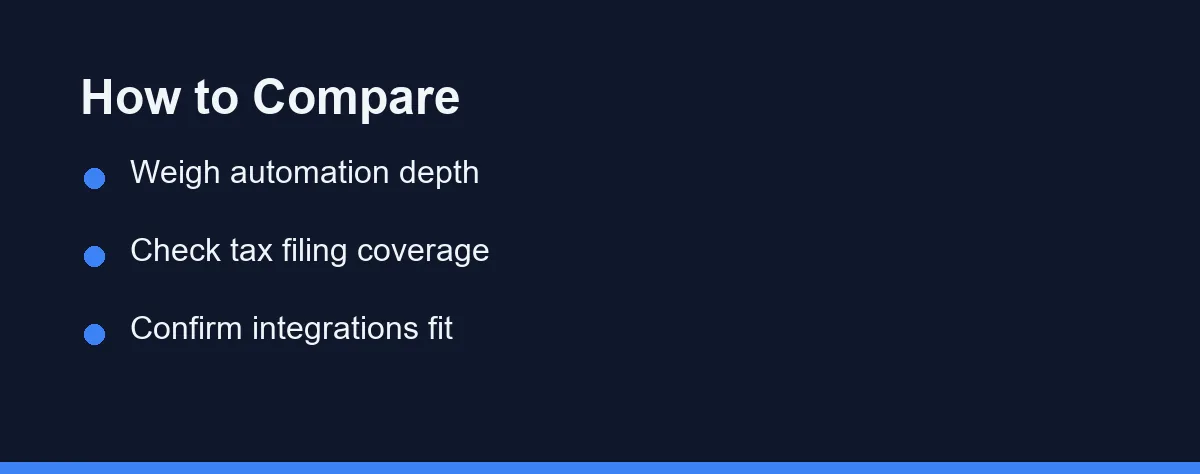
Start with full-service tax filing. The strongest platforms calculate, file, and pay payroll taxes automatically, and they issue year-end forms. This single feature removes most compliance stress.
Automation depth matters next. Look for automatic pay runs, direct deposit, and self-service profiles where employees update their own details. These features cut manual work and reduce errors.
Integrations decide how much double entry you avoid. Check whether the tool connects to your accounting, time tracking, and benefits systems. Native integrations are usually more reliable than third-party connectors.
Finally, weigh support and scalability. Responsive support helps when a pay run goes wrong. Confirm the platform can grow with your headcount and any plans to hire in new states or countries.
Reporting and employee experience round out the list. Clear pay stubs, mobile access, and useful reports keep both staff and finance teams happy. These details are easy to overlook but shape daily satisfaction.
Small-Business Specialists, HR Suites, and Global Payers
The market splits into small-business specialists, all-in-one HR platforms, enterprise suites, and global hiring tools. The short profiles below summarize where each option fits. Pricing is intentionally left general here and discussed later.
Gusto
Gusto targets small and midsize businesses that want simple, full-service payroll. It handles automated tax filing, benefits administration, and employee self-onboarding. Its clean interface makes it approachable for owners without an HR team.
Rippling
Rippling combines payroll with HR, IT, and device management in one platform. It suits companies that want to manage hiring, apps, and hardware together. The breadth is powerful but can be more than a tiny team needs.
ADP
ADP is a long-established provider built for scale and complex compliance. It serves businesses of every size but shines for larger or highly regulated organizations. Its depth comes with a steeper learning curve.
QuickBooks Payroll
QuickBooks Payroll is a natural fit for businesses already using QuickBooks accounting. Payroll data flows directly into the books with little manual entry. It offers tiered plans with optional full tax service.
Deel
Deel focuses on hiring contractors and employees across many countries. It handles international compliance, contracts, and payments in local currencies. It is a strong pick for distributed and global teams.
Seven Platforms Across Six Buying Criteria
The table below compares the main options on practical criteria. Use it to narrow your shortlist before reading detailed reviews on each vendor site.
| Tool | Best For | Auto Tax Filing | Built-in HR | Benefits Admin | Global Payroll |
|---|---|---|---|---|---|
| Gusto | Small & midsize teams | Yes | Moderate | Strong | Limited |
| Rippling | Scaling HR + IT | Yes | Extensive | Strong | Yes |
| ADP | Enterprise & complex needs | Yes | Extensive | Strong | Yes |
| QuickBooks Payroll | QuickBooks users | Yes (varies by plan) | Basic | Add-on | Limited |
| Deel | Global & remote hiring | Yes | Moderate | Varies by country | Strong |
| OnPay | Value-focused small teams | Yes | Moderate | Included | Limited |
| Paychex | Growing US businesses | Yes | Extensive | Strong | Limited |
No single tool wins every column, which is why fit matters more than a ranking. Small teams rarely need enterprise breadth. Global employers should prioritize the last column above all else.
Headcount, Stack, and Where You Will Hire Next

Begin with your headcount and growth plans. A five-person startup and a 500-person company need very different tools. Choosing for where you will be in two years prevents painful migrations.
Map your existing stack before you compare features. If you already use QuickBooks or Xero, a tightly integrated payroll tool saves hours. For accounting context, see our guides to the best accounting software for small business and the QuickBooks vs Xero comparison.
Consider your compliance footprint carefully. Hiring across many states or countries raises the value of automated multi-jurisdiction filing. Domestic single-state teams can prioritize simplicity instead.
Think about adjacent systems you may need next. Payroll often connects to CRM, support, and project tools as a company grows. If you are building out your broader stack, our best CRM for small business guide pairs well with this one.
Why the Headline Monthly Rate Understates the Bill
Most payroll platforms use a base monthly fee plus a per-employee charge. Higher tiers add benefits administration, advanced HR, and dedicated support. Global payroll and contractor payments are often priced separately.
Promotional discounts and annual billing can change the effective cost significantly. Add-ons such as benefits, time tracking, or workers compensation may also affect the total. Read the fine print on what each tier actually includes.
Because pricing changes frequently, this guide avoids quoting specific figures. Always confirm current rates directly on each official site before deciding. Request a written quote if your needs are complex or your headcount fluctuates.
When comparing quotes, total the full annual cost rather than the headline monthly rate. Factor in setup fees, support levels, and any per-filing charges. The cheapest base price is not always the cheapest overall.
What Five Providers Charge Before Add-Ons
The table shows the approximate structure most providers use, with a base monthly fee plus a per-employee charge. These figures are approximate and change often, so confirm current pricing on each official site. All values are at the time of writing.
| Tool | Base fee | Per-employee | Notes |
|---|---|---|---|
| Gusto | ~$40 to $80 monthly | ~$6 to $12 per person | Full-service tax filing on most plans |
| OnPay | ~$40 monthly | ~$6 per person | Flat, simple pricing |
| QuickBooks Payroll | ~$45 to $80 monthly | ~$6 to $10 per person | Discounts common when bundled with accounting |
| Rippling | Custom quote | ~$8 plus per person | Modular; you pay for the parts you enable |
| ADP | Custom quote | Varies | Priced by size and complexity |
Base fees and per-person charges stack, so a small team’s real cost depends heavily on headcount. Global payroll, benefits, and contractor payments are usually billed separately.
Verdicts by Company Size
The right payroll tool depends on headcount, location, and your existing stack. Here are direct picks by situation.
Very small team on a budget. Choose OnPay or Gusto. Both deliver full-service tax filing and a clean interface without enterprise pricing or complexity.
QuickBooks-based business. Go with QuickBooks Payroll. Payroll data flows straight into your books, which removes double entry at month-end.
Scaling company unifying HR and IT. Pick Rippling. Managing payroll, apps, and devices in one system pays off as headcount and onboarding volume grow.
Enterprise with complex compliance. Default to ADP. Its depth handles multi-state rules, unions, and regulated industries that trip up lighter tools.
Business hiring across borders. Use Deel. It manages international contracts, compliance, and payments in local currencies for distributed teams.
Four Errors That Surface After You Sign
A few errors show up again and again during payroll selection. Knowing them early saves money and compliance headaches.
The first is choosing on base price alone. A low headline fee can hide per-employee charges, filing costs, and paid add-ons that raise the real total.
The second is ignoring your hiring map. If you plan to hire in new states or countries, confirm multi-jurisdiction tax filing before you commit.
The third is skipping the integration check. Payroll that does not connect to your accounting tool forces manual entry and invites errors.
The fourth is underestimating support. When a pay run breaks, responsive help matters more than any feature list, so test support quality during the trial.
Shortlist Two, Then Verify Your Own States
The best payroll software in 2026 is the one that matches your size, location, and existing tools. Gusto suits most small teams, Rippling fits scaling companies, and ADP serves larger enterprises. Deel stands out for global hiring, while QuickBooks Payroll rewards existing QuickBooks users.
Use the comparison table to build a shortlist of two or three candidates. Then confirm current pricing and tax coverage for your specific locations. A short trial or demo will reveal whether the workflow feels right for your team.
Some teams outgrow software entirely, a choice we weigh in PEO versus payroll software.
FAQ
What is the best payroll software in 2026?
There is no single best option for everyone, since the right tool depends on company size, country, and whether you need full HR features. Gusto, Rippling, ADP, QuickBooks Payroll, and Deel are all strong contenders for different needs. Match the platform to your headcount and compliance requirements.
How much does payroll software cost?
Most providers charge a monthly base fee plus a per-employee fee, and tiers vary widely by feature set. Prices change often, so confirm current rates on each official site before committing.
Can payroll software handle tax filing automatically?
Many modern platforms file and pay federal, state, and local payroll taxes on your behalf and issue year-end forms. Coverage depends on the plan and jurisdictions, so verify which taxes are included for your locations.
How much does payroll software cost for a small business?
Most providers charge a base fee of roughly $40 to $80 each month plus about $6 to $12 per employee. Enterprise and global options are usually custom-quoted. These figures are approximate and change often, so confirm current pricing on each official site at the time you buy.
Can payroll software pay international contractors?
Yes. Tools like Deel specialize in paying international contractors and employees, handling local compliance, contracts, and payments in local currencies. Standard US-focused payroll tools often have only limited global coverage, so match the tool to where you hire.
Sources
- IRS: Failure to Deposit Penalty — checked 2026-10-01
Some links may be affiliate links. We may earn a commission at no extra cost to you.
How this article was made: it was drafted with AI assistance from the official sources listed above, and its figures were checked against those pages on the dates shown. It is not based on personal hands-on testing.
Comments
Post a Comment